

Stock research tools range from free basic platforms offering delayed quotes and simple charts to premium terminals costing $2,000+ monthly with real-time data feeds and advanced analytics. The best choice depends on your investing style, experience level, and budget—beginner long-term investors typically need only free or low-cost tools ($10-30/month), while active traders and professionals benefit from comprehensive platforms with screening, backtesting, and institutional-grade data. Most investors can build an effective research workflow using a combination of free resources and one or two affordable specialized tools rather than expensive all-in-one solutions.
Key Takeaways
- Free platforms like Yahoo Finance and FINRA provide adequate data for most long-term investors, including basic financials, charts, and SEC filings
- Mid-tier tools ($10-50/month) add valuable features like advanced screening, real-time alerts, and better charting for serious hobbyists
- Professional-grade terminals ($100-2,000+/month) make sense only for active traders, advisors, or analysts who need institutional data and millisecond execution
- Data quality varies significantly—verify provider sources and update frequencies before relying on any platform for investment decisions
- The best research stack typically combines 2-3 specialized tools rather than one expensive all-in-one solution
Table of Contents
- What to Look for in Research Tools
- Free vs Paid Research Platforms
- Best Tools by Investor Type
- Platform Feature Comparisons
- Data Quality and Sources
- Mobile vs Desktop Tools
- Integration and Workflow
- Choosing the Right Tool Stack
- Frequently Asked Questions
- Conclusion
What to Look for in Research Tools
Effective stock research platforms must provide accurate financial data, intuitive interfaces, and features matching your analysis style. The core components include real-time or delayed price data, historical financials covering at least 5-10 years, customizable screening capabilities, and access to regulatory filings. Beyond these basics, your specific needs determine which additional features justify paying for premium tools.
Data coverage matters more than flashy interfaces. A platform showing only 3 years of income statements limits your ability to spot long-term trends in revenue growth or margin expansion. Similarly, screeners that search only U.S. large-caps exclude thousands of international and small-cap opportunities. Check what markets, time periods, and data points each platform covers before committing.
Stock Screener: A filtering tool that searches thousands of stocks based on criteria you specify, such as P/E ratio below 15, market cap above $1 billion, or dividend yield above 3%. Screeners help narrow the investment universe to candidates matching your strategy.
Interface design affects how quickly you can find information. Professional traders switching between 20+ stocks daily need different layouts than long-term investors researching 5-6 candidates per quarter. Test whether you can customize dashboards, save searches, and access key metrics within 2-3 clicks. Platforms requiring 6+ navigation steps to reach basic financials waste time during research sessions.
Consider whether tools provide context alongside raw numbers. A platform showing "P/E: 45" without industry comparisons or historical ranges forces you to research context elsewhere. Better platforms display sector averages, 5-year highs/lows, and peer comparisons automatically. This contextual data helps you interpret whether metrics signal opportunity or risk.
Free vs Paid Research Platforms
Free stock research tools provide delayed quotes (typically 15-20 minutes), basic financial statements, and simple charting sufficient for most buy-and-hold investors. Yahoo Finance, Google Finance, and FINRA's Market Data Center offer this baseline data at no cost. Paid platforms add real-time quotes, advanced technical indicators, institutional-quality data feeds, backtesting capabilities, and premium support—features active traders need but casual investors can skip.
The $0-10/month tier covers basic investor needs. You can access 10-Ks and 10-Qs directly from the SEC's EDGAR database, screen stocks using free tools from Finviz or Stock Rover's basic tier, and chart price history on TradingView's free plan. This combination handles fundamental analysis for investors making 5-15 trades annually without monthly fees.
Mid-tier services ($10-50/month) justify their cost through time savings and expanded capabilities. Koyfin, Stock Rover Premium, and TradingView Pro compile data faster than manually visiting multiple free sites. They add features like real-time scanning, custom alerts when stocks hit target prices, and export tools for building your own models in Excel. If you research 10+ stocks monthly, the time saved often exceeds the subscription cost.
Price TierTypical FeaturesBest ForFreeDelayed quotes, basic financials, SEC filings, simple chartsBeginner investors, annual rebalancers$10-50/monthReal-time data, advanced screening, custom alerts, better chartingActive hobbyists, quarterly traders$50-200/monthInstitutional data, backtesting, API access, multiple exchangesSerious traders, small advisors$500-2,000+/monthBloomberg/Reuters-level data, real-time news, research reportsProfessional analysts, large firms
Premium tiers ($100+/month) like Bloomberg Terminal ($2,000/month) or FactSet ($1,000+/month) serve institutional users who need subsecond data updates, direct access to research reports from major banks, and communication tools to contact company investor relations teams. Individual investors rarely need this depth. The data quality difference between a $30/month and $2,000/month platform matters less than most marketing suggests—both pull from the same SEC filings and exchange feeds, just with different interfaces and speed.
Your trading frequency determines which tier makes sense. Investors who buy and hold for years can manage entirely with free tools. Those trading monthly benefit from mid-tier platforms. Only traders making daily decisions or managing client money justify top-tier costs. Calculate your time value—if researching with free tools takes 2 extra hours monthly, a $30 subscription paying for itself if your time is worth $15/hour or more.
Best Tools by Investor Type
Long-term value investors need platforms emphasizing fundamental data over minute-by-minute price action. Morningstar Premium ($35/month) and Stock Rover Premium ($28/month) organize years of financial statements, calculate quality scores, and highlight metrics like return on equity and debt-to-equity ratios that matter for buy-and-hold strategies. These tools make comparing similar companies across 10+ years of data straightforward.
Growth investors hunting emerging companies benefit from platforms with strong screening and visualization. Finviz Elite ($40/month) and TradingView Pro ($15/month) excel at filtering for revenue growth rates, relative strength, and momentum indicators. Their chart layouts help identify breakout patterns and volume surges that signal institutional accumulation in small-cap stocks.
Fundamental Analysis: Research method focusing on a company's financial health, business model, and competitive position rather than short-term price movements. Fundamental investors examine earnings, cash flow, debt levels, and management quality to determine a stock's intrinsic value.
Technical traders prioritize charting tools and real-time data. ThinkorSwim (free with TD Ameritrade account) and TradingView Pro+ ($30/month) provide customizable technical indicators, pattern recognition alerts, and paper trading simulators. These platforms update charts in real-time during market hours, which matters when trading on 5-minute or hourly timeframes. Free delayed-data tools create costly blind spots for this trading style.
Dividend investors require specialized data on payout ratios, yield history, and dividend growth streaks. Seeking Alpha Premium ($20/month) and Simply Safe Dividends ($10/month) calculate dividend safety scores, track payout consistency over decades, and alert you to dividend cuts before they're announced. General platforms often show current yield but lack the 20-year payout history needed to distinguish reliable dividend payers from high-yield traps.
Options traders need platforms showing Greeks, implied volatility surfaces, and multi-leg strategy builders. Thinkorswim leads here, with OptionStrat (free for basic, $10/month premium) providing clear visualization of risk/reward at different price points. These tools model how option positions behave as underlying stocks move and time passes—essential for managing multi-leg strategies where several variables change simultaneously.
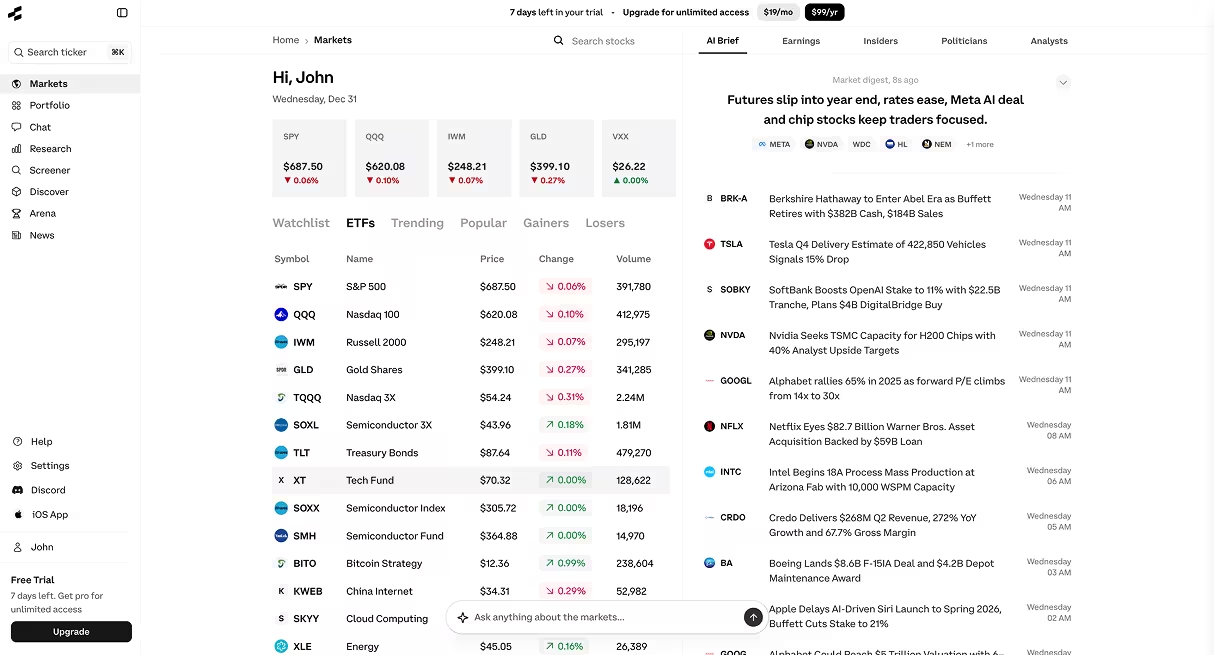
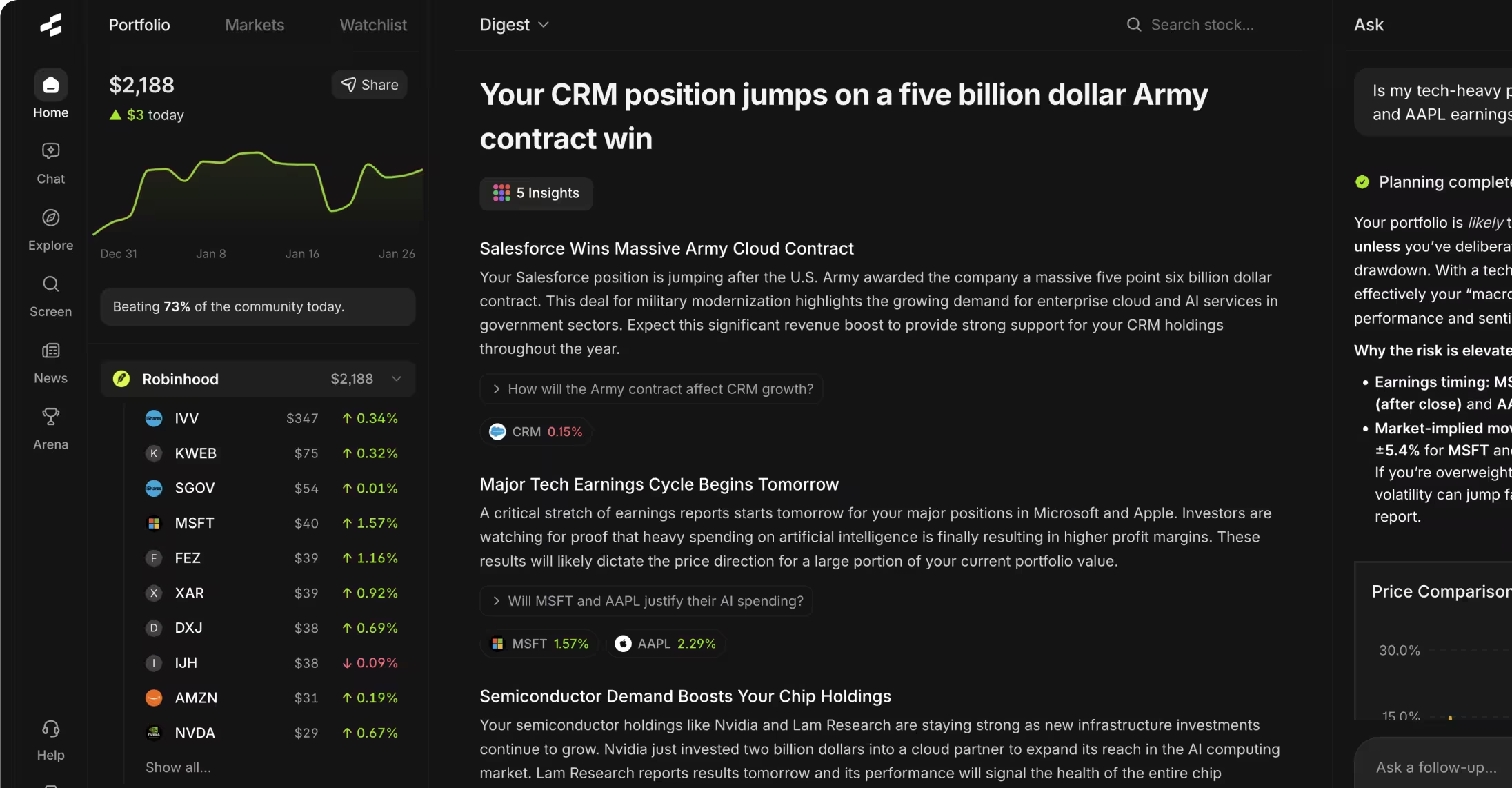
Portfolio trackers help all investor types monitor holdings across multiple accounts. Empower Personal Dashboard (free) and Sharesight ($19/month) automatically import trades, calculate returns including dividends, and show asset allocation. Tools like Rallies.ai's portfolio tracking add AI-powered insights on concentration risk and rebalancing opportunities, though manual spreadsheets work fine if you hold fewer than 15 positions.
Platform Feature Comparisons
Screening capabilities separate useful platforms from mere data displays. Advanced screeners let you filter by hundreds of criteria—from standard metrics like market cap and P/E ratio to complex factors like 3-year revenue growth rates or institutional ownership changes. Stock Rover offers 600+ screening metrics, while free tools like Finviz provide 60-70 filters sufficient for most strategies. The key difference is whether you can save custom screens and receive alerts when new stocks match your criteria.
Charting sophistication varies dramatically. Basic platforms offer line and bar charts with moving averages. Intermediate tools add Bollinger Bands, RSI, and MACD indicators. Advanced platforms like TradingView and thinkorswim include 100+ technical indicators, custom scripting languages for building your own indicators, and multi-timeframe analysis showing daily and weekly charts side-by-side. Unless you trade using technical patterns, basic charting suffices for fundamental investors.
Advanced Platform Advantages
- Real-time data prevents costly delays for active traders
- Backtesting capabilities show historical strategy performance
- API access enables custom integrations with other tools
- Institutional-quality data includes hard-to-find metrics
- Premium support typically responds within hours
Advanced Platform Limitations
- Monthly costs add up to thousands annually
- Complex interfaces require 10-20 hours learning curve
- Feature overload distracts from actual analysis
- Many "premium" features duplicate free alternatives
- Contract lock-ins trap you for 12+ months
News aggregation quality matters if you trade on current events. Bloomberg Terminal and Refinitiv Eikon provide news milliseconds after release, which matters for professional traders. For individual investors, free Google Finance news or paid Seeking Alpha ($20/month) deliver headlines within minutes—fast enough unless you're executing algorithmic trades. Check whether platforms filter news by relevance or dump every mention of a company regardless of importance.
Financial statement presentation affects research speed. Some platforms display only the most recent quarter, forcing you to click through multiple pages to see trends. Better tools show 10 years of annual data and 20 quarters of interim results in a single table, making it easy to spot whether margins are expanding or sales growth is slowing. Look for platforms that let you toggle between GAAP and adjusted figures, since companies increasingly emphasize non-GAAP metrics that exclude significant expenses.
Alert systems range from simple price notifications to complex multi-condition triggers. Basic tools notify you when a stock hits $50. Advanced platforms can alert you when "P/E drops below 15 AND revenue growth exceeds 15% AND RSI crosses below 30"—useful for systematic strategies. Rallies.ai and similar platforms use natural language processing so you can describe alert conditions in plain English rather than setting multiple dropdown filters.
International coverage varies widely. U.S.-focused platforms often omit Canadian, European, and Asian exchanges entirely. If you invest globally, verify that platforms cover your target markets with the same data depth they provide for U.S. stocks. Some tools charge extra for international data, turning a $30/month subscription into $80/month once you add TSX, LSE, and HKEX access.
Data Quality and Sources
Data accuracy depends on how platforms source information. Premium platforms like Bloomberg and FactSet employ analysts who manually verify financial statements and correct errors. Mid-tier tools typically pull data directly from SEC EDGAR and exchange feeds without verification. Free platforms sometimes rely on third-party aggregators where data lags 24-48 hours and errors persist for weeks. These quality differences matter most for small-cap stocks where coverage is inconsistent.
Update frequency creates opportunities and risks. Real-time data feeds update prices every second during market hours, while delayed feeds show prices 15-20 minutes old. For long-term investors, this delay is irrelevant—whether you see a stock at $50.23 or $50.31 doesn't affect a 3-year holding decision. For day traders, those 15 minutes can mean buying at $50 versus $52 after a momentum move. Know your platform's update schedule and whether "real-time" means live data or merely end-of-day updates provided promptly at 4 PM.
EDGAR Database: The SEC's Electronic Data Gathering, Analysis, and Retrieval system provides free public access to company filings including 10-Ks, 10-Qs, 8-Ks, and proxy statements. All U.S. public companies must file here, making it the authoritative source for official financial data.
Historical data depth limits certain analyses. Platforms offering only 5 years of history can't help you compare current metrics to performance during the 2008 financial crisis or early 2000s recession. Long-term value investors studying cyclical companies need 15-20 years of data to see how businesses perform across full economic cycles. Check whether platforms charge extra for extended history or cap free users at 1-2 years.
Data normalization affects comparability. When companies restate financials or change accounting methods, some platforms update historical figures to maintain consistency while others show original reported numbers. Neither approach is wrong, but mixing data from platforms using different normalization methods can produce misleading trend analyses. Stick with one primary data source for building models to avoid these inconsistencies.
Verify any surprising numbers against SEC filings directly. Automated data feeds occasionally misplace decimal points, confuse millions with billions, or assign figures to wrong line items. If a platform shows a company's revenue dropped 90% in one quarter, check the 10-Q yourself before making trading decisions. Data vendors fix errors eventually, but that "eventually" might be days or weeks after incorrect data led you astray.
Analyst estimates vary by provider. Platforms aggregate estimates from different sets of analysts—one might average 15 analysts' forecasts while another uses 30. These differences explain why one platform shows expected earnings of $2.10/share while another shows $2.25. More estimates don't necessarily mean better accuracy. During earnings season, compare platform estimates to company guidance from recent calls rather than relying solely on analyst consensus.
Mobile vs Desktop Tools
Desktop platforms provide more screen space for comparing multiple stocks simultaneously, building complex multi-indicator charts, and analyzing detailed financial tables. Serious research sessions involving 15+ browser tabs or comparing 10 companies' metrics side-by-side work better on desktop monitors. Mobile apps excel at quick checks, setting alerts, and executing trades on-the-go, but cramped screens make deep analysis tedious.
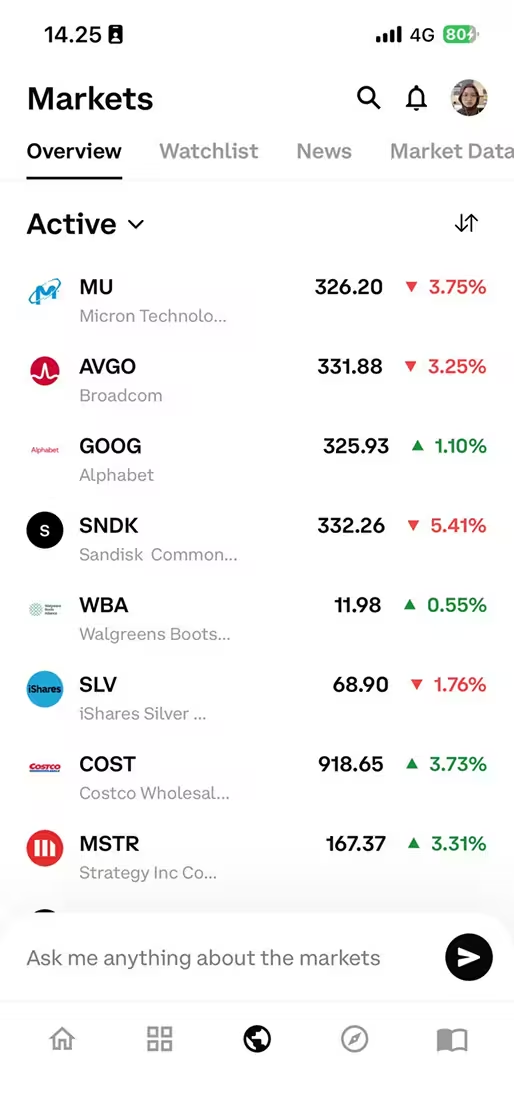
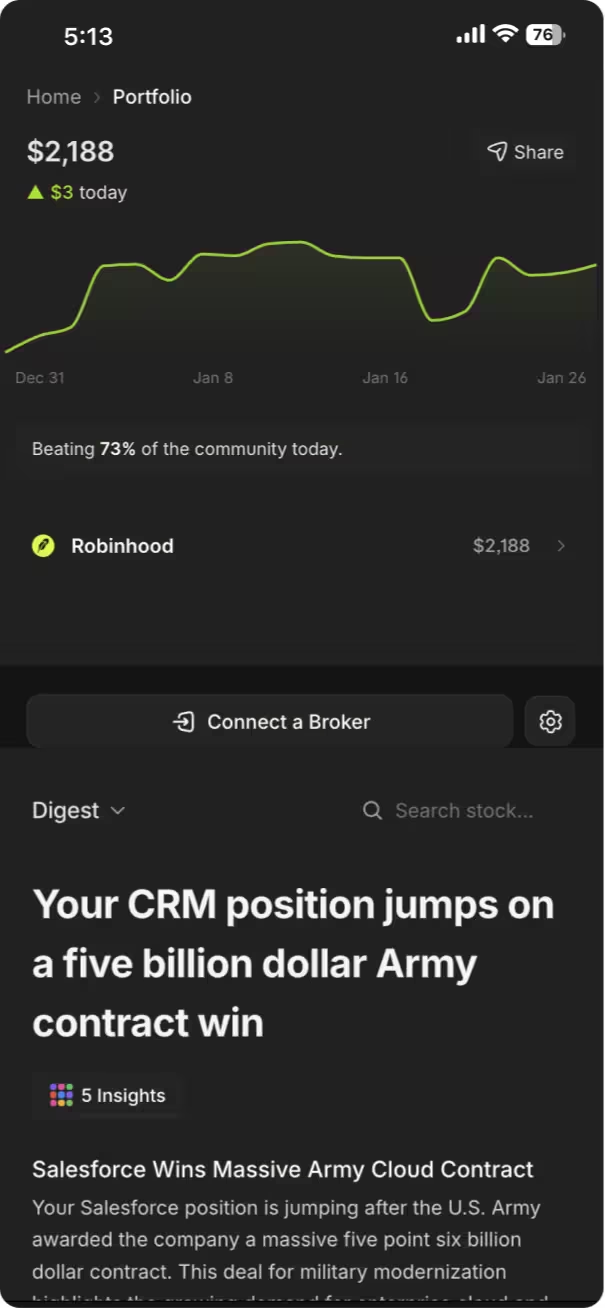
Mobile app quality varies dramatically even within the same service. TradingView's desktop version offers 50+ drawing tools and custom indicators, while its mobile app provides only basic charting. Some platforms treat mobile as an afterthought with limited functionality, while others like Robinhood and Rallies.ai's iOS app build mobile-first experiences with streamlined interfaces prioritizing speed over comprehensive data display.
Workflow patterns should guide your desktop/mobile split. Use desktop for weekend research sessions when you have time to build screens, read filings, and compare options. Use mobile for monitoring watchlists during the workday, checking price alerts, and executing planned trades. Attempting complex analysis on a 6-inch screen typically leads to missed details and mistakes. Save phones for monitoring and quick decisions, not initial research.
Data consumption differs between devices. Reading a 10-K or comparing 10 years of financials works better on desktop where you can view full tables without constant scrolling. Mobile screens suit bite-sized insights, real-time price changes, and news headlines. Platforms offering different interfaces for each device—detailed on desktop, summarized on mobile—match how investors actually use devices rather than cramming identical dense layouts onto small screens.
Syncing capabilities matter when you use both platforms. The best tools sync watchlists, saved screens, alerts, and portfolio holdings across devices automatically. Opening a mobile app and finding none of your desktop-configured alerts or watchlists wastes time recreating setups. Test whether platforms maintain consistent data across devices or treat each as a separate installation requiring duplicate configuration.
Integration and Workflow
Effective research combines multiple tools rather than relying on a single platform. A typical workflow might use Yahoo Finance for quick price checks, EDGAR for reading full 10-K reports, a stock screener for finding candidates, and Excel for building valuation models. Moving data between these tools creates friction—copying numbers manually introduces errors and wastes time. Look for platforms offering export functions, API access, or direct integrations with tools you already use.
Brokerage integration streamlines trade execution. Researching stocks in one platform then logging into a separate brokerage to execute trades adds steps where you might transpose ticker symbols or share quantities. Platforms like thinkorswim, Interactive Brokers' Trader Workstation, and Fidelity Active Trader Pro combine research and trading in one interface, reducing execution errors. This integration matters most for active traders; buy-and-hold investors making 10 trades yearly can tolerate the extra login step.
Spreadsheet connectivity helps analysts building custom models. Services like Koyfin, YCharts, and FactSet offer Excel plugins that pull live data directly into spreadsheets. You can build a DCF model that automatically updates with latest quarterly results rather than manually copying 40+ cells from financial statements each quarter. Free Google Sheets functions like GOOGLEFINANCE() provide similar capability for basic metrics, though with limited depth compared to paid tools.
API Access: Application Programming Interface connectivity allows software programs to request data from platforms automatically. APIs enable custom integrations, automated data updates, and building personalized tools using platform data without manual copying.
Portfolio management tools work best when they import transactions automatically. Manually entering every trade, dividend payment, and stock split across multiple accounts becomes tedious. Services like Sharesight, Empower, and Rallies.ai connect to brokerages via APIs to sync holdings automatically. Verify which brokerages each platform supports—some connect to only major firms, leaving clients of smaller brokers to enter trades manually.
Note-taking integration helps maintain research records. Platforms like Koyfin let you annotate charts and save notes within the tool. Others require exporting to Evernote, Notion, or OneNote. Keeping research notes separate from price data creates organizational challenges when you want to remember why you bought a stock 18 months ago. Consider whether you need integrated notes or whether your current note-taking system works fine for tracking investment rationales.
Cross-platform compatibility affects users running different operating systems. Most web-based platforms work identically on Windows, Mac, and Linux. Desktop applications often run only on Windows, leaving Mac users with limited options or requiring Windows emulation. Mobile apps may launch on iOS months before Android or vice versa. Check compatibility across all devices you use before committing to annual subscriptions.
Choosing the Right Tool Stack
Building an effective research stack starts with identifying your actual needs rather than accumulating features you'll never use. Most investors need five capabilities: screening to find candidates, fundamental data to analyze businesses, charting for price context, news to track developments, and portfolio tracking to monitor holdings. You can cover these with 2-3 focused tools instead of one expensive all-in-one platform.
Start with free tools and add paid subscriptions only when you identify specific limitations. Begin with Yahoo Finance for prices and basic financials, SEC EDGAR for reading filings, and Finviz's free screener. Use these for 2-3 months. When you find yourself thinking "I wish this platform would show X" repeatedly, that's when you've identified a gap worth paying to fill. Accumulating subscriptions before understanding your workflow leads to paying for unused features.
Research Stack Building Checklist
- ☐ Identify your investing style (value, growth, dividend, technical, etc.)
- ☐ List the specific metrics and data points you analyze regularly
- ☐ Test free versions of 3-4 platforms matching your needs
- ☐ Track which features you actually use during 2-3 research sessions
- ☐ Calculate time saved by paid tools vs. cost of subscription
- ☐ Verify data accuracy by comparing 3-4 stocks across platforms
- ☐ Test mobile apps if you plan to research away from desktop
- ☐ Check whether platforms integrate with your existing tools
- ☐ Review what happens to your data if you cancel subscription
- ☐ Start with month-to-month plans before committing to annual billing
Specialization often beats comprehensiveness. A focused screener plus a dedicated charting tool typically outperform an all-in-one platform trying to do both adequately. Stock Rover excels at fundamental screening but offers mediocre charts. TradingView provides exceptional charting but basic fundamental data. Using both ($28 + $15 = $43/month) costs less than a Bloomberg Terminal while delivering superior functionality for individual investors. The interface switching overhead is minimal compared to the quality gain.
Consider whether platforms lock you into annual contracts. Month-to-month subscriptions cost 15-20% more monthly but let you cancel if your needs change or you find better alternatives. Annual plans save money if you're certain you'll use the tool consistently, but recovering upfront payments after three months when you realize a platform doesn't fit your workflow is impossible. Start monthly, convert to annual after 3-6 months once you've confirmed value.
Data portability matters when switching platforms. Can you export your saved screens, watchlists, and portfolio data if you cancel? Some platforms lock data within their ecosystem, forcing you to recreate everything when switching. Others export to CSV or Excel, preserving your work. Before subscribing, test whether the platform allows exporting your data or whether you'll lose all saved work if you leave.
Trial periods reveal compatibility issues subscriptions hide. Take advantage of free trials or money-back guarantees to test platforms with real research sessions, not quick demos. Spend 2-3 hours using each tool for actual analysis before the trial ends. Surface-level testing during a 10-minute demo misses workflow friction that becomes obvious when researching your tenth stock of the week. Most services offer 7-14 day trials or 30-day refunds, sufficient time to assess fit.
Tools leveraging AI for research are emerging as practical alternatives. AI Research Assistants let you ask questions in plain English rather than navigating complex menus. Instead of finding the right screener dropdown to filter for "companies with ROE above 15% and debt-to-equity below 0.5," you ask "show me profitable companies with strong returns and low debt." These natural language tools lower the learning curve compared to traditional platforms, though they're still developing compared to established services.
Frequently Asked Questions
1. Are free stock research tools good enough for beginners?
Free tools like Yahoo Finance, Google Finance, and SEC EDGAR provide sufficient data for beginners learning fundamental analysis. They include price history, basic financial statements, analyst estimates, and SEC filings—everything needed to research large-cap stocks for buy-and-hold investing. Beginners benefit more from learning to read 10-Ks and understand business models than from paying for advanced features they don't yet know how to use. Upgrade to paid tools once you've identified specific limitations in free platforms preventing deeper analysis.
2. What's the difference between screeners in free vs paid platforms?
Free screeners typically offer 50-100 filtering criteria covering common metrics like P/E ratio, market cap, dividend yield, and basic growth rates. Paid screeners add 300-600 additional filters including complex combinations (3-year average ROE, institutional ownership changes, custom financial ratios), ability to save unlimited screens, and alerts when new stocks match criteria. Free screeners work fine for strategies based on standard metrics; paid versions help when you need to filter on unusual combinations or want automated monitoring for new opportunities.
3. How important is real-time data versus 15-minute delayed quotes?
Real-time data matters only for active traders making intraday decisions. The difference between seeing a stock at $50.00 versus $50.15 (15 minutes later) is irrelevant if you're buying for 3-year holds—prices will fluctuate far more than that tiny delay represents. Day traders and options traders need real-time feeds to avoid buying on momentum that already reversed. Investors checking prices once daily or less can use delayed free data without disadvantage. Your trading frequency determines whether real-time access justifies the subscription cost.
4. Which platforms are best for analyzing international stocks?
TradingView and Interactive Brokers provide strong international coverage across 100+ exchanges globally. Morningstar offers good data for Canadian, European, and Australian stocks but limited Asian coverage. Many U.S.-focused platforms either don't cover international stocks or charge extra for foreign exchange data—verify coverage before subscribing if you invest globally. Check whether platforms show financial data in original reporting currencies or convert everything to USD, which affects comparability when currency fluctuations are significant.
5. Do professional investors use the same tools as individual investors?
Professional analysts at funds and investment banks primarily use Bloomberg Terminal ($2,000/month), FactSet ($1,000+/month), and S&P Capital IQ ($1,000+/month) for their combination of real-time data, research report access, and communication tools. Individual investors rarely need this level—the data quality difference for basic metrics compared to $20-50/month platforms is minimal. Professionals justify the cost through faster access to proprietary research and specialized functions like complex derivative pricing that individual investors don't need. Your analysis quality depends more on skill interpreting data than which platform you use.
6. How can I verify that data on a platform is accurate?
Cross-check any platform's data against the company's SEC filings on EDGAR for U.S. stocks—this is the official source. Compare 3-4 key metrics (revenue, net income, shares outstanding) from your platform to the company's most recent 10-K or 10-Q. If numbers match within rounding differences, the platform is reliable. If you find consistent discrepancies larger than 1-2%, use a different platform. Be aware that platforms may show GAAP versus non-GAAP numbers differently, so verify which methodology each uses before assuming errors.
7. Should I use my broker's research tools or third-party platforms?
Brokerage platforms excel at trade execution and basic research but often lag specialized third-party tools for screening and analysis depth. Fidelity, Schwab, and TD Ameritrade offer decent built-in research covering most investors' needs. If you find brokerage tools limiting, supplement with a third-party screener or charting platform rather than switching brokers solely for research features. The convenience of integrated trading in your brokerage platform outweighs modest research limitations unless you're conducting very specialized analysis requiring tools your broker doesn't provide.
8. What features in premium platforms rarely justify their cost?
Most individual investors don't benefit from features like subsecond data feeds, heat maps showing real-time sector rotation, social sentiment tracking from Twitter, or direct messaging to company IR departments. These sound useful but rarely change investment decisions for buy-and-hold strategies. Similarly, advanced options analytics, Level II order book data, and pre-market scanning matter only for active traders. Before paying for premium tiers, identify which specific features you'll use weekly and whether cheaper alternatives provide those same capabilities.
Conclusion
The best stock research tools match your investing approach, experience level, and trading frequency rather than offering the most features or highest price tag. Free platforms provide adequate data for long-term investors analyzing 10-15 stocks annually, while mid-tier tools ($10-50/month) add valuable screening and alert capabilities for more active researchers. Premium platforms justify their cost only for professionals needing institutional-grade data, real-time feeds, and specialized analytics.
Build your research stack incrementally by starting with free tools and adding paid subscriptions only when you identify specific limitations affecting your analysis. Most investors achieve better results using 2-3 specialized tools than paying for expensive all-in-one platforms with features they never touch. Focus on data accuracy, workflow efficiency, and whether tools help you make more informed decisions rather than collecting impressive-sounding capabilities.
For more guidance on building your investment research process, explore our complete Investment Tools & Platform Comparisons guide or test platforms hands-on using free trials before committing to subscriptions.
Ready to try AI-powered research? Start with Rallies.ai free and ask your stock research questions in plain English—no complex menus or dropdown filters required.
References
- U.S. Securities and Exchange Commission. "EDGAR Company Filings." https://www.sec.gov/edgar
- Financial Industry Regulatory Authority. "Market Data Center." https://www.finra.org/investors/market-data
- Dimensional Fund Advisors. "2023 Matrix Book: Historical Returns." https://www.dimensional.com
- CFA Institute. "Standards of Practice Handbook." https://www.cfainstitute.org
- Morningstar, Inc. "2024 Investment Research Methodology." https://www.morningstar.com
- Bloomberg L.P. "Bloomberg Terminal Product Guide." https://www.bloomberg.com/professional/solution/bloomberg-terminal/
Disclaimer: This article is for educational and informational purposes only. It does not constitute investment advice, financial advice, trading advice, or any other type of advice. Rallies.ai does not recommend that any security, portfolio of securities, transaction, or investment strategy is suitable for any specific person.
Risk Warning: All investments involve risk, including the possible loss of principal. Past performance does not guarantee future results. Before making any investment decision, you should consult with a qualified financial advisor and conduct your own research.
Written by: Gav Blaxberg
CEO of WOLF Financial | Co-Founder of Rallies.ai