


The Rallies Vibe Screener is a natural language stock screening tool that lets you find stocks by describing what you're looking for in plain English instead of setting complex technical filters. You type criteria like "profitable tech companies under $50" or "dividend stocks with low debt," and the AI translates your request into actionable stock results. This tutorial walks through how to use the Vibe Screener effectively, from basic searches to advanced filtering strategies.
Key Takeaways
- The Vibe Screener uses natural language processing to understand stock search queries without requiring knowledge of technical filters or financial codes
- You can combine multiple criteria in one search, such as sector preferences, valuation metrics, financial health indicators, and price ranges
- The tool works best with specific, measurable criteria rather than vague terms like "good stocks" or "winning companies"
- Results update based on real-time market data and can be saved to watchlists for ongoing monitoring
- Advanced users can refine searches iteratively by adding constraints or changing parameters based on initial results
Table of Contents
- What Is the Rallies Vibe Screener?
- How Does the Vibe Screener Work?
- Getting Started with Your First Search
- Types of Search Criteria You Can Use
- Example Searches for Common Investment Strategies
- How to Refine Your Search Results
- Saving and Tracking Screener Results
- Advanced Screening Techniques
- Common Mistakes to Avoid
- Frequently Asked Questions
- Conclusion
What Is the Rallies Vibe Screener?
The Vibe Screener is a conversational stock screening tool that interprets natural language queries and returns matching stocks from the market. Unlike traditional screeners that require you to navigate dropdown menus and set numerical ranges for dozens of filters, you simply describe what you're looking for as if asking another person. The system translates your description into technical criteria, searches its database, and presents relevant results.
Traditional stock screeners typically organize filters by category—fundamental metrics, technical indicators, valuation ratios—which assumes users already know which specific filters they need. This creates a learning curve for newer investors and can be time-consuming even for experienced ones. Natural language screeners eliminate this friction by letting you express investment criteria the way you think about them.
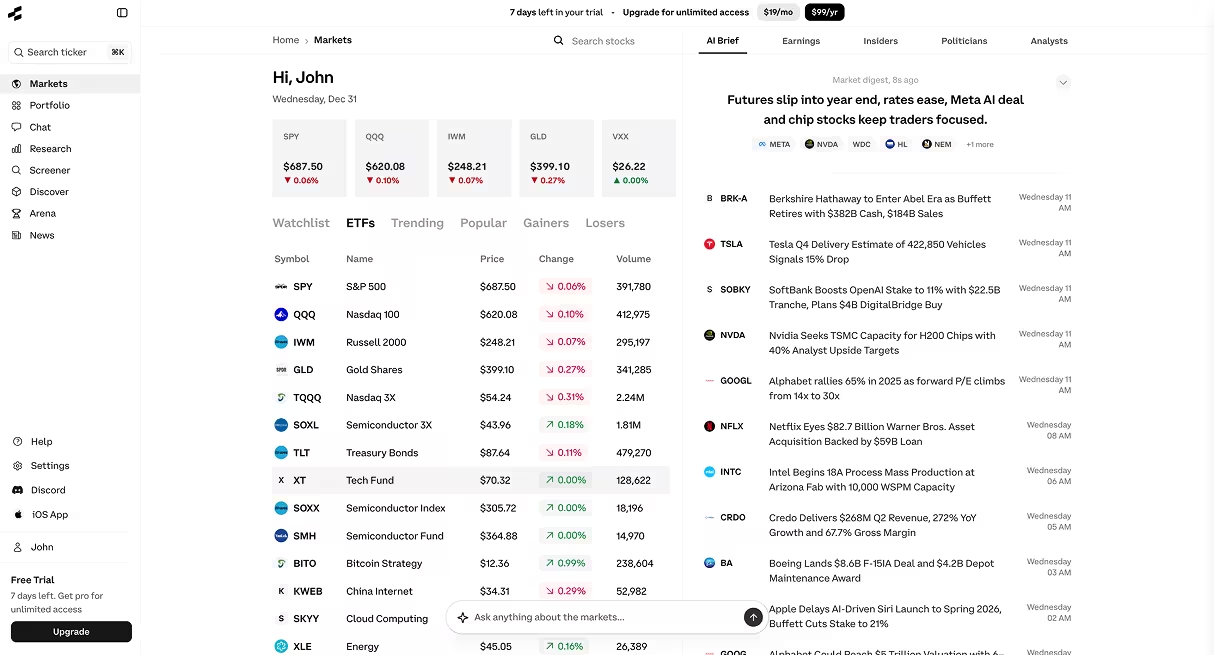
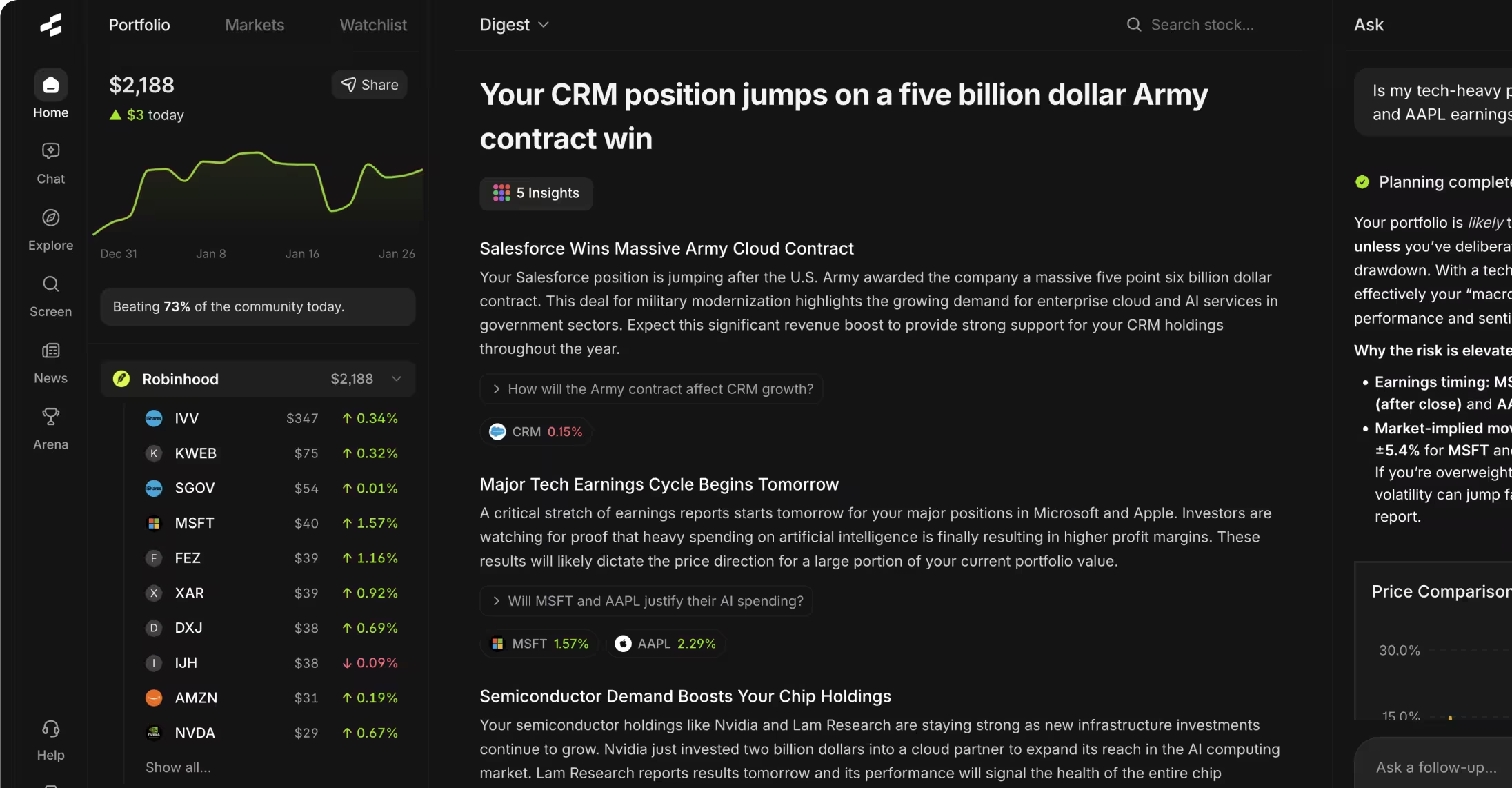
The tool is part of the broader Rallies.ai platform, which combines AI-powered research capabilities with portfolio tracking and market analysis features. The Vibe Screener specifically addresses the stock discovery phase of the research process.
How Does the Vibe Screener Work?
The Vibe Screener uses natural language processing to parse your text input and identify investment criteria within it. When you type a query like "technology companies with market caps over $10 billion and profit margins above 20%," the system extracts four distinct filters: sector (technology), market capitalization (>$10B), profitability measure (profit margin), and threshold (>20%).
Behind the interface, the AI maps your plain-English terms to standardized financial data fields. "Profitable" might map to positive net income, "low debt" to a debt-to-equity ratio below 0.5, and "dividend stocks" to companies with dividend yields above 0%. These mappings use industry-standard definitions to ensure consistency.
The system then queries a database of fundamental and market data covering thousands of publicly traded stocks. Results appear ranked by relevance, though you can typically sort by various metrics like market cap, price performance, or specific financial ratios. The entire process happens in seconds.
Natural Language Processing (NLP): A branch of artificial intelligence that enables computers to understand, interpret, and respond to human language in a contextually relevant way. In stock screening, NLP translates conversational queries into structured database searches.
Getting Started with Your First Search
To begin using the Vibe Screener, navigate to rallies.ai/screener where you'll find a search bar prominently displayed. Your first search should be relatively simple to get a feel for how the system interprets different types of criteria.
Start with a basic query that combines two or three characteristics. For example: "large-cap stocks with dividends" or "small biotech companies under $20." Type your query and press enter or click the search button. Results typically appear within 2-3 seconds.
Review the results list, which shows company names, ticker symbols, current prices, and key metrics relevant to your search. Each result is clickable, taking you to a detailed stock page with comprehensive financial data, news, and analysis tools.
If your initial results don't match expectations, the issue usually stems from either too-vague criteria ("good growth stocks") or conflicting requirements ("penny stocks with high dividends and low volatility"). Refine your query by making criteria more specific or removing contradictory filters.
First Search Checklist
- ☐ Navigate to the Vibe Screener page
- ☐ Start with 2-3 simple, specific criteria
- ☐ Review the number of results returned (10-50 is typically a good range)
- ☐ Click into 2-3 results to examine detailed data
- ☐ Refine your query based on what you see
Types of Search Criteria You Can Use
The Vibe Screener recognizes several categories of investment criteria, each corresponding to different aspects of stock analysis. Understanding these categories helps you construct more effective searches.
Company Size and Market Cap
You can filter by market capitalization using terms like "large-cap" (typically >$10B), "mid-cap" ($2B-$10B), "small-cap" ($300M-$2B), or "micro-cap" (<$300M). You can also specify exact ranges: "companies with market caps between $5 billion and $20 billion."
Sector and Industry
Sector terms like "technology," "healthcare," "financial," "energy," "consumer," and "industrial" work well. You can get more specific with industry terms like "semiconductors," "biotechnology," "regional banks," or "renewable energy." The system understands both formal sector classifications and common industry nicknames.
Valuation Metrics
Price-based criteria include absolute price ("stocks under $50"), price-to-earnings ratios ("P/E below 15"), price-to-book ratios, price-to-sales ratios, and relative valuation terms like "undervalued" or "trading below fair value." Be aware that "undervalued" interpretations vary—specify a metric when possible.
P/E Ratio: The price-to-earnings ratio divides a stock's current price by its earnings per share over the past 12 months. A P/E of 20 means investors pay $20 for each $1 of annual earnings, useful for comparing valuations across similar companies.
Financial Health Indicators
Profitability terms include "profitable," "positive earnings," "high profit margins," or specific thresholds like "operating margins above 15%." Debt-related filters include "low debt," "debt-free," "strong balance sheet," or specific ratios like "debt-to-equity below 0.3."
Dividends and Shareholder Returns
Dividend criteria include "dividend stocks," "high yield" (typically >3%), "dividend growth," "dividend aristocrats" (companies with 25+ years of consecutive increases), or specific yields like "dividends between 2% and 5%."
Growth Characteristics
Growth terms include "revenue growth," "earnings growth," "fast-growing," or specific rates like "sales growth above 20% annually." You can also specify time frames: "companies that grew earnings by at least 15% in the last quarter."
Technical and Price Action
Some screeners accept technical criteria like "52-week high," "oversold," "momentum," "above 200-day moving average," or "strong relative strength." These work best combined with fundamental filters.
Criteria Category Example Terms Typical Use Case Market Cap Large-cap, small-cap, over $5B Filtering by company size and liquidity Sector/Industry Technology, biotech, financials Thematic or sector-focused research Valuation P/E below 15, undervalued, cheap Value investing strategies Financial Health Profitable, low debt, strong margins Quality and safety screening Dividends High yield, dividend growth Income-focused portfolios Growth Revenue growth, fast-growing Growth investing approaches
Example Searches for Common Investment Strategies
Different investment approaches translate into different screening criteria. Here are proven search patterns for common strategies, with context on why each filter matters.
Value Investing Search
Query: "Profitable companies with P/E ratios below 12, debt-to-equity below 0.5, and positive free cash flow"
This search targets financially stable companies trading at below-market multiples. The P/E threshold of 12 is well below the historical market average of 15-16, the debt constraint ensures financial flexibility, and positive free cash flow indicates the company generates more cash than it consumes. Value investors typically want all three characteristics together.
Dividend Income Search
Query: "Large-cap dividend stocks with yields above 3%, payout ratios below 70%, and at least 10 years of dividend history"
This focuses on sustainable income. Yields above 3% exceed the S&P 500 average, payout ratios below 70% leave room for dividend maintenance during downturns, and a 10-year history demonstrates commitment to dividends through multiple market cycles. Companies meeting all three criteria tend to be mature, stable businesses.
Growth Stock Search
Query: "Technology companies with revenue growth above 25%, market caps between $1B and $10B, and positive gross margins"
This targets mid-cap growth opportunities. Revenue growth above 25% significantly exceeds GDP growth, suggesting market share gains or industry expansion. The market cap range focuses on companies large enough to have proven products but small enough to still have substantial room to grow. Positive gross margins confirm a viable business model.
Quality at a Reasonable Price (QARP)
Query: "Stocks with ROE above 15%, P/E ratios between 10 and 20, and operating margins above 12%"
QARP combines quality metrics with valuation discipline. ROE above 15% indicates efficient capital deployment, P/E between 10-20 avoids both value traps and expensive growth stocks, and operating margins above 12% suggest competitive advantages. This approach aims to find well-run companies before they become overpriced.
Return on Equity (ROE): ROE measures how much profit a company generates relative to shareholder equity, calculated as net income divided by shareholders' equity. An ROE of 15% means the company generates $0.15 of profit for every $1 of equity, indicating management's effectiveness at deploying capital.
Defensive/Low-Volatility Search
Query: "Consumer staples and utility stocks with beta below 0.8, positive earnings, and market caps above $5 billion"
This search targets stability. Beta below 0.8 means the stocks historically move less than the broader market, consumer staples and utilities are traditionally defensive sectors, positive earnings confirm profitability, and large market caps typically correlate with lower volatility and higher liquidity.
Turnaround/Special Situations
Query: "Companies with negative earnings last year, positive revenue growth, and analyst upgrades in the last quarter"
This identifies potential turnarounds. Current unprofitability combined with growing revenue suggests operational issues rather than business model failure. Recent analyst upgrades indicate improving sentiment. This is a higher-risk strategy requiring deeper research into why analysts expect improvement.
How to Refine Your Search Results
Your first search rarely produces perfect results. Refinement is an iterative process of tightening criteria, removing outliers, and adding constraints based on what the initial results reveal.
When You Get Too Many Results
If your search returns hundreds of stocks, it's too broad to be actionable. Add constraints to narrow the field. For example, if "dividend stocks" returns 400 results, refine to "dividend stocks with yields above 4% and market caps above $2 billion." Each additional criterion reduces the result set.
Prioritize adding constraints that matter most to your strategy. If you're focused on income reliability, add "at least 5 years of consecutive dividend payments." If you want liquidity, add "average daily volume above 500,000 shares."
When You Get Too Few Results
If your search returns fewer than five stocks, you're likely being too restrictive or combining contradictory criteria. Remove or relax your most stringent requirements. Instead of "P/E below 8 and revenue growth above 30%," which are rarely found together, try "P/E below 15 or revenue growth above 20%."
Check for conflicting requirements. "Penny stocks with strong balance sheets and high institutional ownership" describes characteristics that rarely coexist. Remove one constraint or adjust thresholds to find the trade-off you're willing to make.
Sorting and Ranking Results
Most screeners let you sort results by various metrics. Common sorting options include market cap (to see the largest or smallest first), price performance (to identify recent winners or losers), dividend yield (highest to lowest), or valuation ratios. Sorting reveals patterns in your results and helps you prioritize which stocks to research first.
Iterative Refinement Process
Professional analysts typically screen in stages. Run a broad search first to understand the opportunity set, then progressively add filters based on what you observe. You might start with "healthcare stocks," review the results to identify interesting sub-sectors, then refine to "medical device companies with operating margins above 20%."
Save promising intermediate results. If you find 50 interesting companies but want to narrow further, save that list to a watchlist before continuing. This preserves your research if your next refinement proves too restrictive.
Saving and Tracking Screener Results
Once you've identified stocks worth monitoring, save them to watchlists for ongoing tracking. Most platforms, including Rallies.ai, let you create multiple watchlists organized by strategy, sector, or research stage.
To save results from the Vibe Screener, select individual stocks or use bulk-select options to add multiple companies at once. Name your watchlist descriptively—"High-Yield Dividend Candidates Q1 2024" is more useful than "Watchlist 3." Good naming helps when you return weeks later and need to remember your selection criteria.
Set up price alerts for stocks on your watchlists. Alerts notify you when stocks hit specific price levels, experience unusual volume, or meet other conditions you define. This passive monitoring lets you focus research time on active analysis rather than constantly checking prices.
Review saved screener results periodically. Company fundamentals change quarterly with earnings reports, so a stock that met your criteria in January might no longer qualify by April. Re-run your original searches quarterly to identify new candidates and confirm existing holdings still match your requirements.
Many investors maintain multiple watchlists at different research stages: an "Initial Screening" list for stocks that met basic criteria, a "Deep Research" list for companies undergoing detailed analysis, and a "Ready to Buy" list for stocks they'd purchase if prices reach target levels. This staged approach organizes the research workflow.
Advanced Screening Techniques
Experienced users combine multiple screening strategies and data sources to build more sophisticated searches. These techniques require more market knowledge but can uncover opportunities that simpler screens miss.
Relative Valuation Screening
Instead of absolute thresholds ("P/E below 15"), use relative comparisons: "companies trading below their 5-year average P/E" or "stocks cheaper than their industry median." Relative screens adapt to market conditions and sector norms, avoiding the problem where an "expensive" tech stock at P/E 25 might actually be cheap relative to its peers at P/E 35.
Change-Based Criteria
Screen for changes rather than static levels: "companies that raised earnings guidance in the last quarter," "stocks with improving profit margins year-over-year," or "recent dividend increases above 10%." Change-based screens identify inflection points before they're fully reflected in prices.
Combination Strategies
Layer multiple well-known factors: "stocks in the top quartile for both value and momentum" combines two factors that individually predict returns. Or try "high quality and high dividend yield," which historically identifies sustainable income. Multi-factor approaches often outperform single-factor screens because they capture different return drivers.
Exclusionary Screening
Define what you don't want as clearly as what you do want. "Technology companies except semiconductors," "dividend stocks but not REITs," or "profitable companies excluding financials" removes categories that don't fit your strategy. Exclusions prevent results cluttered with industries you won't invest in anyway.
Thematic Screening with Constraints
Start with a theme, then add quality filters: "renewable energy companies with positive free cash flow" or "artificial intelligence stocks with operating margins above 15%." This combines top-down thematic conviction with bottom-up quality requirements, avoiding the trap of investing in themes through unprofitable or poorly-run companies.
Advantages of Advanced Techniques
- Uncover less-obvious opportunities missed by simple screens
- Adapt to changing market conditions and sector rotations
- Combine multiple analytical perspectives in one search
- Reduce false positives through layered filtering
Limitations
- More complex criteria can be harder to interpret and validate
- Overly specific screens may return too few results or overfit to past patterns
- Require deeper understanding of metrics and their interactions
- Time-intensive to test and refine multi-factor approaches
Common Mistakes to Avoid
Both new and experienced users make predictable errors when screening stocks. Recognizing these patterns helps you avoid wasted time and flawed results.
Overfitting to Recent Performance
Designing screens based on what worked recently often produces poor forward-looking results. If small-cap value stocks had a great year, screening for "small-cap value" the following year might catch the end of a trend rather than the beginning. Markets rotate across styles and factors, so screens based purely on recent winners often underperform.
Ignoring Context and Sector Norms
Applying uniform criteria across all sectors misses important context. A P/E of 30 might signal overvaluation for a utility but represent fair value for a fast-growing software company. Similarly, debt-to-equity ratios mean different things for capital-intensive manufacturers versus asset-light service companies. Consider sector-specific norms or screen within sectors rather than across the entire market.
Confusing Screening with Research
Passing a screen doesn't make a stock a good investment. Screening identifies candidates for further research, not buy recommendations. Financial metrics have blind spots—earnings can be manipulated, growth rates might be unsustainable, and quantitative factors don't capture management quality, competitive dynamics, or regulatory risks. Every screener result requires deeper analysis.
Using Too Many Criteria
Adding 10+ filters might feel thorough, but it often screens out good opportunities due to arbitrary thresholds. Each additional criterion reduces your result set, and eventually, you're searching for the perfect company that doesn't exist. Start with 3-5 critical requirements and add others only if results are unmanageably broad.
Neglecting Data Quality and Timing
Screener results depend on database quality and update frequency. Be aware that data might lag by a day or quarter depending on the source. A "profitable" screen using outdated data might include companies that just reported losses. Check when the underlying data was last updated, especially for time-sensitive criteria.
Following Screens Mechanically
Systematic strategies that buy every stock meeting certain criteria can work over long periods, but they require discipline and risk management most individual investors struggle to maintain. Mechanical approaches work best with diversification across many positions, regular rebalancing, and acceptance of significant drawdowns. If you're selecting a few stocks from screener results rather than buying everything, you're making discretionary decisions that require research and judgment.
Frequently Asked Questions
1. How often should I run stock screens to find new opportunities?
Most investors benefit from running screens monthly or quarterly rather than daily. Company fundamentals change gradually, so daily screening typically produces the same results with minor variations. Run screens after earnings season ends—roughly a month after each quarter ends—when fresh financial data is available. You might screen more frequently during volatile markets or when actively deploying new capital, but constant screening usually creates more noise than signal.
2. Can I use the Vibe Screener to find penny stocks or micro-cap companies?
Yes, you can search for penny stocks using criteria like "stocks under $5" or "micro-cap companies under $300 million market cap." However, be aware that very small companies often have limited financial data, lower liquidity, and higher risk profiles. Many institutional-grade databases exclude the smallest stocks or update their data less frequently. Research any micro-cap result thoroughly and understand the elevated risks before investing.
3. What's better: more specific search criteria or broader searches?
Start broad and narrow progressively. A broad initial search like "dividend stocks" helps you understand the full opportunity set and identify patterns. If you see mostly utilities and REITs, you might add "excluding REITs and utilities" to find dividend payers in other sectors. If you start too narrow, you might miss adjacent opportunities. Aim for 15-50 results as a sweet spot—enough to have options but few enough to research individually.
4. How do I screen for stocks within a specific price range?
Include price criteria directly in your query: "technology stocks between $20 and $100" or "dividend stocks under $50." Price-based screening is common for options traders who prefer specific price ranges or investors who want to avoid very low-priced stocks. Remember that absolute price doesn't indicate value—a $10 stock can be overvalued and a $500 stock can be cheap depending on underlying fundamentals.
5. Does the Vibe Screener update results in real-time?
Price data typically updates throughout the trading day, but fundamental data like earnings, revenue, and balance sheet metrics update quarterly after companies report results. When you screen for "profitable companies," you're filtering based on the most recent quarterly or annual report. Check the data timestamp in results to understand how current the information is. For criteria based on price or volume, results reflect near-real-time market data.
6. Can I combine technical and fundamental criteria in one search?
Yes, combining approaches often produces actionable results. For example, "profitable companies with P/E ratios below 15 that are within 10% of 52-week highs" finds fundamentally sound value stocks showing price strength. Or "dividend stocks with positive momentum" identifies income investments with improving market sentiment. Combining factors from different analytical traditions can improve results by requiring multiple independent signals to align.
Conclusion
The Rallies Vibe Screener simplifies stock discovery by translating natural language queries into sophisticated database searches. By describing what you're looking for in plain English, you can quickly narrow thousands of stocks to a manageable list of candidates matching your investment criteria. The key to effective screening is balancing specificity with flexibility—be clear about your requirements, but not so restrictive that you eliminate all viable options.
Remember that screening is the first step in research, not a substitute for detailed analysis. Every result requires deeper investigation into business quality, competitive position, management, and valuation. Use the screener to identify possibilities, then employ the AI Research Assistant and detailed stock pages to evaluate whether those possibilities merit investment. For more guidance on the full research process, see the complete Rallies.ai guide.
Start screening stocks with natural language. Try the Vibe Screener now →
References
- U.S. Securities and Exchange Commission. "Investor.gov: Researching Investments." https://www.investor.gov/introduction-investing/getting-started/researching-investments
- Financial Industry Regulatory Authority (FINRA). "Stock Screeners." https://www.finra.org/investors/learn-to-invest/types-investments/stocks/stock-screeners
- CFA Institute. "Equity Valuation: A Survey of Professional Practice." https://www.cfainstitute.org/
- Federal Reserve Bank of St. Louis. "FRED Economic Data - Financial Indicators." https://fred.stlouisfed.org/
Disclaimer: This article is for educational and informational purposes only. It does not constitute investment advice, financial advice, trading advice, or any other type of advice. Rallies.ai does not recommend that any security, portfolio of securities, transaction, or investment strategy is suitable for any specific person.
Risk Warning: All investments involve risk, including the possible loss of principal. Past performance does not guarantee future results. Before making any investment decision, you should consult with a qualified financial advisor and conduct your own research.
Written by: Gav Blaxberg
CEO of WOLF Financial | Co-Founder of Rallies.ai