


Rallies.ai is an AI-powered investment research platform that combines natural language stock screening, an AI research assistant, portfolio tracking, and deep research tools in one app. The platform lets investors ask questions in plain English, screen stocks by describing what they want, and access comprehensive company data without switching between multiple tools. Rallies.ai is designed for both beginner and experienced investors who want faster, more intuitive ways to research stocks and manage portfolios.
Key Takeaways
- Rallies.ai offers five core features: AI Research Assistant, Vibe Screener, portfolio tracking, Deep Research mode, and AI Arena for testing investment strategies
- The platform works entirely through natural language—ask questions like "What's Tesla's profit margin?" instead of manually searching financial statements
- Free tier provides basic research and screening; premium plans unlock unlimited AI queries, advanced alerts, and institutional-grade data
- Mobile apps for iOS and Android let you research stocks, set price alerts, and track portfolios from anywhere
- All research tools are educational—Rallies.ai does not provide personalized investment advice or recommendations
Table of Contents
- What Is Rallies.ai?
- Getting Started with Rallies
- AI Research Assistant Guide
- Using the Vibe Screener
- Portfolio and Watchlist Features
- Deep Research Mode
- AI Arena Overview
- Tips for Power Users
- Frequently Asked Questions
- Conclusion
What Is Rallies.ai?
Rallies.ai is a stock research platform that uses artificial intelligence to simplify how investors find, analyze, and track stocks. Instead of navigating complex financial databases or reading through dense 10-K reports, you can ask questions in plain English and get immediate answers backed by real financial data.
The platform consolidates tools that typically require multiple subscriptions: a stock screener, research assistant, portfolio tracker, news aggregator, and fundamental analysis tool. Developed by Blotter Inc., Rallies.ai launched in 2024 as an alternative to traditional research platforms that assume users already know how to interpret balance sheets and income statements.
AI Research Assistant: A conversational interface that answers stock-related questions using natural language processing and financial data. It pulls information from SEC filings, earnings reports, and market data rather than just web search results.
Rallies.ai serves both beginners who need help understanding financial metrics and experienced investors who want to speed up their research process. The AI doesn't make buy or sell recommendations—it provides data and context to help you conduct your own due diligence.
The platform works across web browsers and mobile devices. The iOS app and Android app sync your watchlists, portfolios, and research history across devices.
Getting Started with Rallies
You can start using Rallies.ai in under two minutes without providing payment information. The free tier lets you explore basic features, ask limited AI questions, and track up to 10 stocks in your watchlist.
Creating Your Account
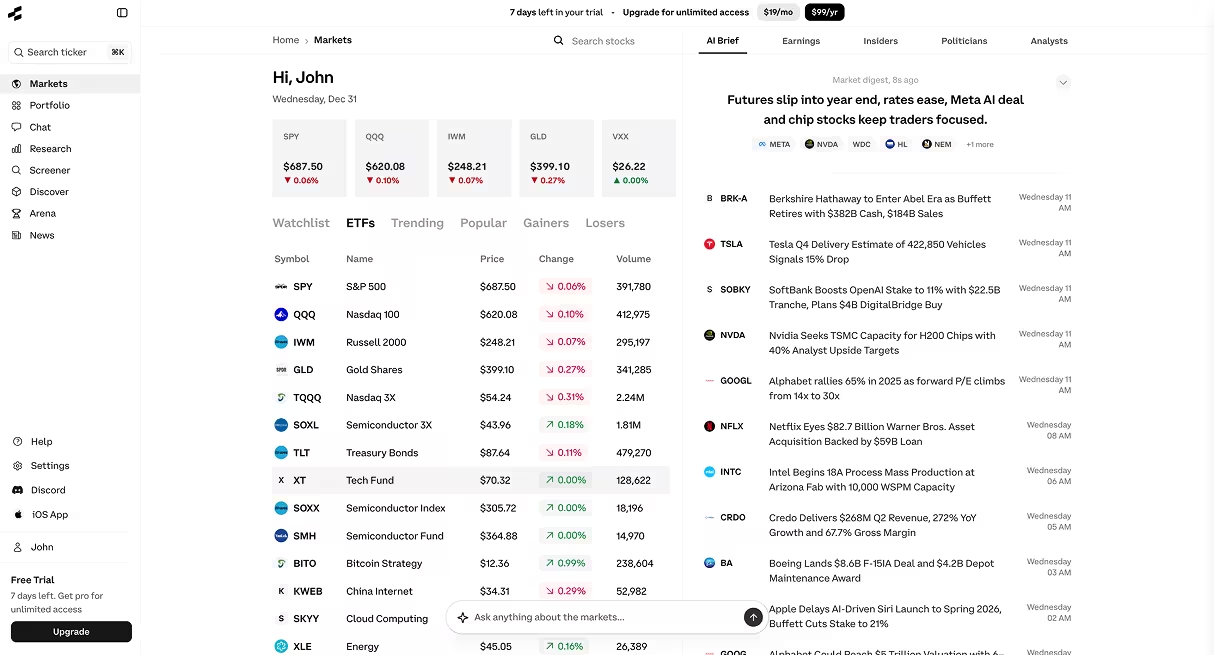
Visit rallies.ai and sign up with an email address or Google account. You'll land on the main dashboard, which shows trending stocks, market movers, and quick access to the AI Research Assistant and Vibe Screener.
After signing up, the platform prompts you to set your investment preferences: growth vs. value orientation, risk tolerance, and sectors of interest. These preferences help tailor the stock discovery feed but don't limit what you can research.
Understanding the Dashboard Layout
The dashboard is divided into four main sections:
- Discover: Thematic portfolios and trending stocks based on market conditions and your stated interests
- Chat: The AI Research Assistant interface where you ask questions
- Screener: Natural language stock screening tool
- Portfolio: Your tracked holdings and watchlists
First Steps: Try These Features
Start by asking the AI Research Assistant a simple question like "What does Apple do?" or "Show me Tesla's revenue growth." This demonstrates how the conversational interface works without requiring you to know specific commands or syntax.
Next, try the Vibe Screener. Type something like "tech stocks under $50 with positive earnings" and see how natural language translates into filtered results. You can refine results by adding more criteria in plain English.
Add a few stocks to your watchlist by searching for tickers or company names and clicking "Add to Watchlist." This lets you track price movements and set up alerts.
AI Research Assistant Guide
The AI Research Assistant is Rallies.ai's core feature. It answers questions about stocks, interprets financial metrics, and explains market concepts using conversational language. Unlike generic chatbots that pull from web searches, this tool accesses structured financial data from SEC filings and earnings reports.
What You Can Ask
The assistant handles several categories of questions:
- Company fundamentals: "What's Microsoft's price-to-earnings ratio?" or "Show me Amazon's debt levels"
- Financial statement data: "What was Nvidia's gross margin last quarter?" or "How much cash does Berkshire Hathaway have?"
- Comparative analysis: "Compare the profit margins of Coca-Cola and PepsiCo"
- Historical performance: "How has Netflix's revenue changed over the past 5 years?"
- Concept explanations: "What does return on equity mean?" or "How do you calculate free cash flow?"
Natural Language Processing (NLP): Technology that lets computers understand and respond to human language. In financial AI tools, NLP translates questions like "Is Apple profitable?" into database queries that retrieve specific metrics.
How It Handles Complex Questions
The assistant breaks down multi-part questions. If you ask "Which has better margins and lower debt: Home Depot or Lowe's?", it retrieves gross margin, operating margin, and debt-to-equity ratios for both companies, then presents a comparison.
For questions it can't fully answer, the assistant explains what data is missing. If you ask about a private company or request projections, it clarifies that it works with historical public company data only.
Limitations to Understand
The AI Research Assistant provides data and context, not investment advice. It won't tell you whether to buy or sell a stock. Responses are educational—designed to help you understand metrics, not make decisions for you.
Real-time data has a slight delay (typically 15 minutes for free users, real-time for premium). The assistant also doesn't predict future stock prices or guarantee the accuracy of third-party analyst estimates it may reference.
Best Practices for Questions
Be specific about timeframes: "What was Disney's revenue in 2023?" works better than "How much money does Disney make?" Specify which metric you want if there are multiple options—"operating margin" instead of just "margin."
You can ask follow-up questions in the same conversation. After asking about a company's P/E ratio, you might ask "How does that compare to its competitors?" The assistant maintains context within a session.
Using the Vibe Screener
The Vibe Screener lets you find stocks by describing what you want in everyday language rather than setting numerical filters manually. Type "dividend stocks with yields above 4%" or "small-cap healthcare companies with positive cash flow" and the tool translates your description into a filtered stock list.
How Natural Language Screening Works
Traditional screeners require you to select specific parameters: market cap range, P/E ratio thresholds, sector checkboxes. The Vibe Screener interprets phrases like "undervalued" (typically P/E below sector median), "high growth" (revenue growth above 20% annually), or "stable" (beta below 1.0).
The system recognizes common investment criteria:
- Value indicators: "cheap," "undervalued," "low P/E," "trading below book value"
- Growth signals: "fast-growing," "high revenue growth," "expanding margins"
- Quality metrics: "profitable," "low debt," "strong balance sheet," "consistent earnings"
- Income focus: "dividend payers," "high yield," "dividend growth"
Stock Screener: A tool that filters thousands of stocks based on specific criteria like price, market cap, or financial ratios. Natural language screeners let you describe criteria conversationally instead of setting numerical ranges.
Refining Your Results
After the initial screen generates results, you can add more criteria. If you started with "tech stocks under $100," you might refine with "and profitable" or "with P/E below 25." The screener updates results in real-time as you add constraints.
Each result shows key metrics: current price, market cap, P/E ratio, dividend yield (if applicable), and 52-week performance. Click any stock to view its full research page with detailed financials, news, and analyst ratings.
Saved Screens and Alerts
Premium users can save screens and set alerts. If you create a screen for "biotech stocks under $500 million market cap with FDA approvals," you can receive notifications when new stocks meet those criteria or when existing matches have significant price changes.
What Makes This Different from Traditional Screeners
Traditional screeners assume you know exact thresholds: "P/E between 10 and 15" or "market cap between $2B and $10B." The Vibe Screener works when you have a general idea but not precise numbers. It's faster for exploratory research—finding candidates to investigate further rather than filtering with predetermined criteria.
However, if you do want precise control, you can still specify exact numbers: "P/E between 12 and 18" or "dividend yield above 3.5%" work just as well as vague descriptors.
Portfolio and Watchlist Features
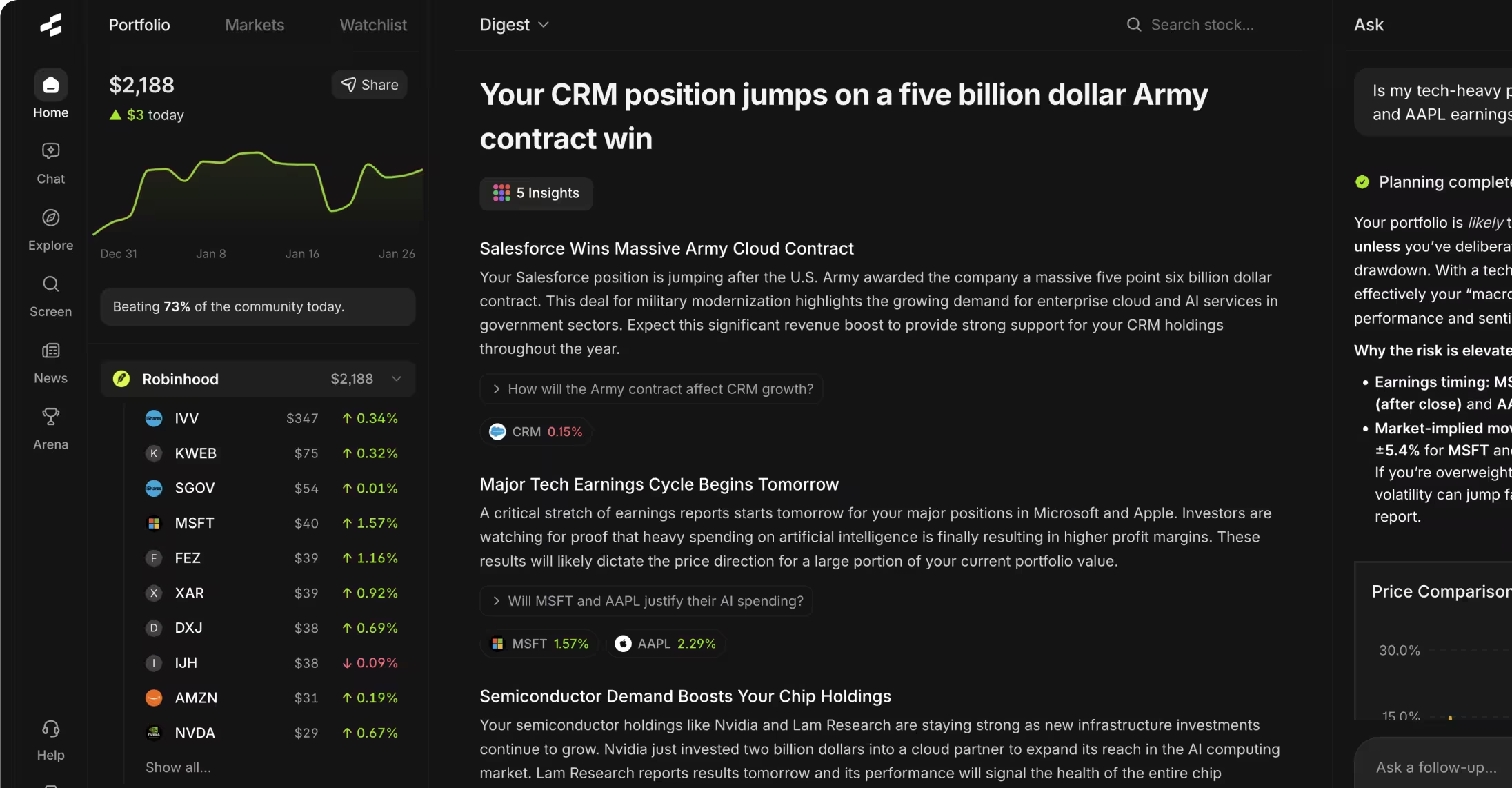
Rallies.ai's portfolio tracker monitors your holdings' performance, allocation, and key metrics in one view. Watchlists let you follow stocks you're researching without committing capital, complete with customizable price alerts.
Setting Up Your Portfolio
Navigate to the Portfolio section and click "Add Holdings." Enter tickers, number of shares, and purchase prices (or import from a brokerage via CSV). The platform calculates current value, total return, and percentage gains or losses.
The portfolio dashboard shows:
- Allocation breakdown: Pie chart and table showing percentage of portfolio in each stock and sector
- Performance metrics: Total return, annualized return, best and worst performers
- Diversification analysis: Concentration risk warnings if any single position exceeds 20% of portfolio value
- Income tracking: Dividend payments and yield on cost for income-focused portfolios
Watchlist: A saved list of stocks you want to monitor without owning them. Watchlists help you track potential investments, compare options, and receive alerts when prices hit specific levels.
Creating and Managing Watchlists
You can create multiple watchlists for different strategies or sectors. Common setups include a "Buy Candidates" list for stocks you're researching, a "High-Conviction" list for your strongest ideas, and sector-specific lists like "Tech Watchlist" or "Dividend Stocks."
Each watchlist displays real-time prices (premium) or 15-minute delayed quotes (free), percent change, and quick-access buttons to view full research or ask the AI about that stock.
Price Alerts and Notifications
Set alerts for price targets, percentage moves, or volume spikes. If you're watching a stock trading at $50 and want to know if it drops to $45, create a price alert. You can also set alerts for percentage moves: "notify me if this stock moves up or down 5% in one day."
Premium users get unlimited alerts with options for email, push notification (mobile app), or in-app notification. Free accounts allow up to 5 active alerts at a time.
Portfolio Analytics for Premium Users
Premium accounts include advanced portfolio analytics: beta calculation (portfolio volatility vs. market), sector correlation analysis, and risk metrics. The system flags concentration risk if multiple holdings are highly correlated—for example, owning five different tech stocks that tend to move together.
Deep Research Mode
Deep Research mode generates comprehensive reports covering over 100 data points for any public company. Instead of asking individual questions or manually reviewing filings, you get a structured analysis in seconds.
What Deep Research Covers
Each Deep Research report includes:
- Business overview: What the company does, revenue sources, competitive position
- Financial health: Profitability metrics, balance sheet strength, cash flow analysis
- Growth trends: Revenue and earnings growth over 1, 3, and 5 years
- Valuation: P/E, P/S, P/B ratios compared to sector medians and historical averages
- Risk factors: Debt levels, customer concentration, regulatory concerns from recent filings
- Recent developments: Earnings surprises, management changes, product launches
Reports take 30-60 seconds to generate and update whenever new financial data becomes available (typically quarterly after earnings releases).
When to Use Deep Research
Use Deep Research when you're moving from initial screening to serious due diligence. After the Vibe Screener identifies candidates, Deep Research provides the comprehensive view you need before considering an investment.
It's particularly useful when you're unfamiliar with a company or sector. The structured format ensures you don't miss important metrics or risk factors that might not come up in casual AI chat questions.
Customizing Research Focus
Premium users can customize which sections appear in reports. If you're only interested in valuation and financial health, you can hide sections on management background or industry trends. This makes reports faster to review when you're comparing multiple companies.
Exporting and Sharing
Deep Research reports export to PDF for offline review or sharing with advisors. You can also save reports to your account and set alerts to notify you when a new earnings report triggers a report update.
AI Arena Overview
AI Arena is Rallies.ai's experimental feature where different AI models compete in simulated stock-picking challenges. You can observe how various AI approaches select stocks, compare their reasoning, and see which strategies would have performed best.
How AI Arena Works
Each competition starts with identical conditions: a hypothetical $100,000 portfolio, specific constraints (like "only large-cap stocks" or "maximum 10 holdings"), and a timeframe (typically 30-90 days). Different AI models then build portfolios using their own logic.
You can view each model's picks, read its reasoning for each selection, and track performance as the competition unfolds. The AI Arena updates daily with price changes and portfolio values.
Backtesting: Testing an investment strategy using historical data to see how it would have performed. AI Arena uses forward-looking simulations rather than backtests—AI models pick stocks in real-time and results reflect actual price movements afterward.
What You Can Learn
AI Arena is educational, not prescriptive. Watching how different models approach stock selection can expose you to new analysis frameworks or metrics you hadn't considered. One model might focus heavily on earnings growth consistency, while another emphasizes balance sheet strength.
The feature highlights the difference between AI approaches. Some models take concentrated bets on 5-8 stocks, while others build diversified portfolios of 20+ holdings. These differences in strategy lead to different risk-return profiles.
Important Disclaimers
AI Arena results are simulated and do not account for transaction costs, slippage, or the impact of real money flows. Past performance in AI Arena competitions does not predict future results, and winning strategies in simulations often underperform in live trading.
Use AI Arena to explore ideas and understand different analytical frameworks. Do not treat competition results as recommendations or signals to copy specific picks.
Tips for Power Users
Once you're comfortable with basic features, these advanced techniques can speed up research and help you use Rallies.ai more efficiently.
Chain Questions in AI Chat
Instead of asking isolated questions, build conversations. Start with "What's Adobe's P/E ratio?", then follow with "How does that compare to its 5-year average?" and "Show me P/E ratios for Salesforce and ServiceNow." The AI maintains context, so you don't need to repeat company names or restate your focus.
Combine Screener with AI Research
After running a Vibe Screener search, don't just browse results—send top candidates to the AI Research Assistant with specific questions. If the screener returns 30 stocks, you might pick the top 5 and ask "Compare the debt levels of these five companies" or "Which of these has the highest return on equity?"
Set Up Multiple Specialized Watchlists
Create watchlists by research stage:
- Discovery: Stocks that showed up in screeners but need initial review
- Analysis: Stocks you're actively researching with Deep Research
- Monitoring: Stocks you understand well but aren't ready to buy yet
- Sell Candidates: Stocks you own but are reconsidering
Use News Filters
The News section aggregates financial news, but premium users can filter by event type: earnings releases, FDA approvals (for biotech), analyst upgrades/downgrades, or management changes. Set up filtered news feeds for watchlist stocks so you only see relevant developments.
Leverage Keyboard Shortcuts
Press "/" to jump to the search bar from anywhere. Use Tab and arrow keys to navigate screener results. Press "C" to open AI Chat, "S" for screener, and "P" for portfolio view. These shortcuts are faster than clicking through menus when you're doing deep research sessions.
Export Data for External Analysis
Premium accounts can export screener results and portfolio data to CSV. This is useful if you want to run additional analysis in Excel, create custom visualizations, or maintain your own research database outside the platform.
Schedule Regular Deep Research Updates
For stocks in your "Analysis" or "Monitoring" watchlists, set up automated Deep Research report generation whenever earnings are released. This ensures you review updated fundamentals shortly after new financial data becomes public, without having to manually check earnings calendars.
Frequently Asked Questions
1. Is Rallies.ai free to use?
Rallies.ai offers a free tier with access to basic AI chat (limited questions per day), the Vibe Screener, and portfolio tracking for up to 10 stocks. Premium plans starting at $9.99/month unlock unlimited AI questions, real-time data, advanced alerts, Deep Research reports, and additional analytics features.
2. Does Rallies.ai provide stock recommendations?
No. Rallies.ai is an educational research tool, not an investment advisor. The platform provides data, analysis, and context to help you conduct your own research, but it does not recommend specific stocks to buy or sell. All investment decisions remain your responsibility.
3. How accurate is the AI Research Assistant?
The AI pulls data from regulatory filings (10-Ks, 10-Qs), earnings reports, and market data feeds. For factual financial metrics like revenue, P/E ratios, or debt levels, responses reflect official company filings. However, interpretations and explanations are AI-generated and should be verified, especially for complex or ambiguous questions.
4. Can I connect Rallies.ai to my brokerage account?
Not directly. Rallies.ai does not execute trades or connect to brokerage accounts for live position syncing. You can manually enter your holdings or import them via CSV to track performance within the platform, but you'll place actual trades through your broker.
5. What's the difference between the AI Research Assistant and Deep Research?
The AI Research Assistant answers specific questions you ask—it's conversational and reactive. Deep Research generates comprehensive reports covering 100+ data points automatically—it's structured and proactive. Use the assistant for quick questions or comparisons; use Deep Research when you want a full company overview without asking dozens of individual questions.
6. Does Rallies.ai work for international stocks?
The platform primarily covers U.S.-listed stocks (NYSE, NASDAQ) and major international companies with ADRs trading in the U.S. Coverage for stocks listed exclusively on foreign exchanges varies. Check availability by searching the ticker or company name—if no results appear, that stock isn't currently in the database.
7. How often is data updated?
Free users receive stock prices with a 15-minute delay. Premium users get real-time quotes during market hours. Fundamental data (revenue, earnings, balance sheet metrics) updates within 24 hours of companies filing quarterly or annual reports with the SEC.
8. Can I use Rallies.ai on mobile devices?
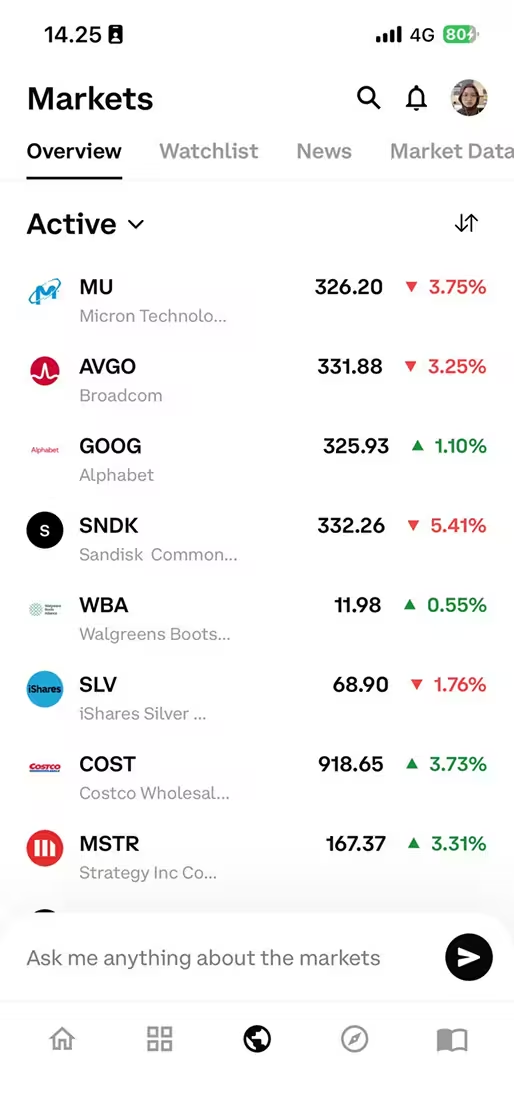
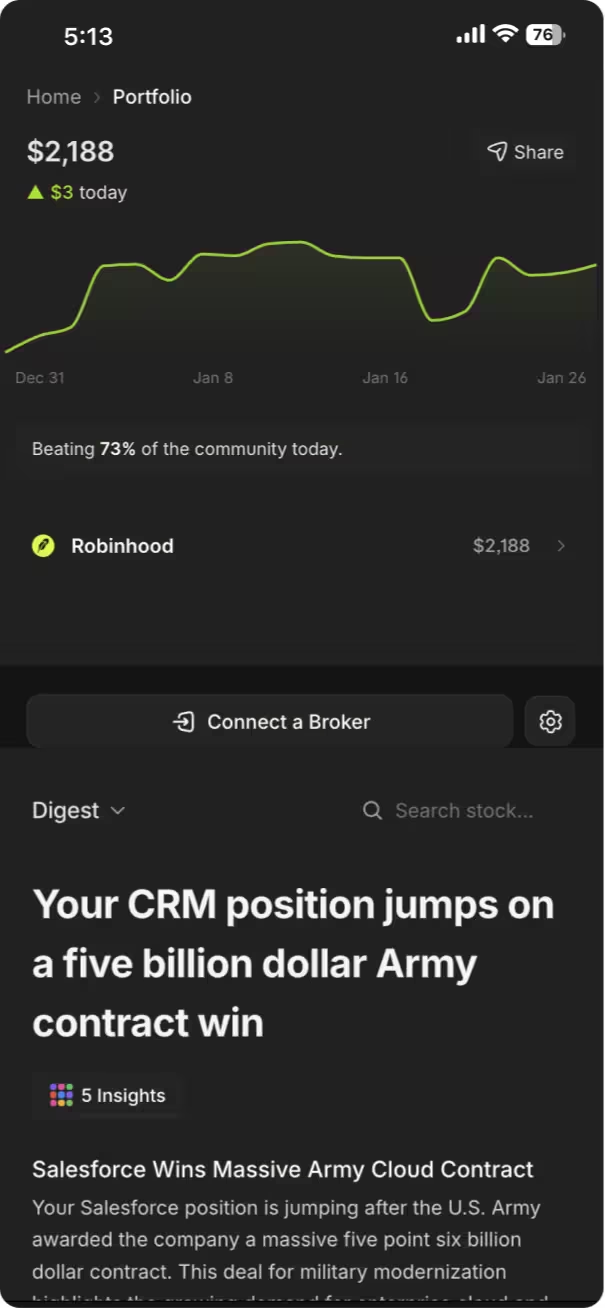
Yes. Rallies.ai has native apps for iOS and Android, plus a mobile-optimized website. The mobile app includes all major features: AI chat, screening, portfolio tracking, and watchlists. Your account syncs across devices automatically.
9. What happens if the AI can't answer my question?
The assistant will explain what information is missing or unavailable. For questions about private companies, future predictions, or data not in public filings, it clarifies its limitations. You can rephrase questions or ask for related information the system does have access to.
10. How do I cancel my premium subscription?
Go to Account Settings, select Subscription, and click "Cancel Subscription." You'll retain premium access through the end of your current billing period, then automatically revert to the free tier. There are no cancellation fees or long-term contracts.
Conclusion
Rallies.ai streamlines stock research by combining natural language AI, comprehensive data, and portfolio tracking in one platform. Whether you're asking quick questions through the AI Research Assistant, finding candidates with the Vibe Screener, or generating detailed company reports with Deep Research, the tools work together to speed up your due diligence process. The platform serves as an educational resource—providing data and context for your investment decisions without offering specific buy or sell advice.
Start by exploring the free tier to understand how conversational AI can replace manual data searches. As you get comfortable, consider premium features for real-time data, unlimited AI queries, and advanced analytics. Remember to verify important information through primary sources and consult with a qualified financial advisor before making investment decisions. For a complete walkthrough of individual features, visit the Rallies Platform Guides.
Start researching smarter. Get Started with Rallies.ai →
References
- U.S. Securities and Exchange Commission. "Company Filings (EDGAR)." https://www.sec.gov/edgar
- Financial Industry Regulatory Authority (FINRA). "Investor Protection." https://www.finra.org/investors
- CFA Institute. "CFA Program Curriculum: Equity Valuation." https://www.cfainstitute.org/en/programs/cfa
- Dimensional Fund Advisors. "Historical Returns on Stocks, Bonds and Bills: 1928-2022." https://www.dimensional.com
- Federal Reserve Economic Data (FRED). "Market Data and Statistics." https://fred.stlouisfed.org
- Rallies.ai. "Platform Features and Documentation." https://rallies.ai
Disclaimer: This article is for educational and informational purposes only. It does not constitute investment advice, financial advice, trading advice, or any other type of advice. Rallies.ai does not recommend that any security, portfolio of securities, transaction, or investment strategy is suitable for any specific person.
Risk Warning: All investments involve risk, including the possible loss of principal. Past performance does not guarantee future results. Before making any investment decision, you should consult with a qualified financial advisor and conduct your own research.
Written by: Gav Blaxberg
CEO of WOLF Financial | Co-Founder of Rallies.ai