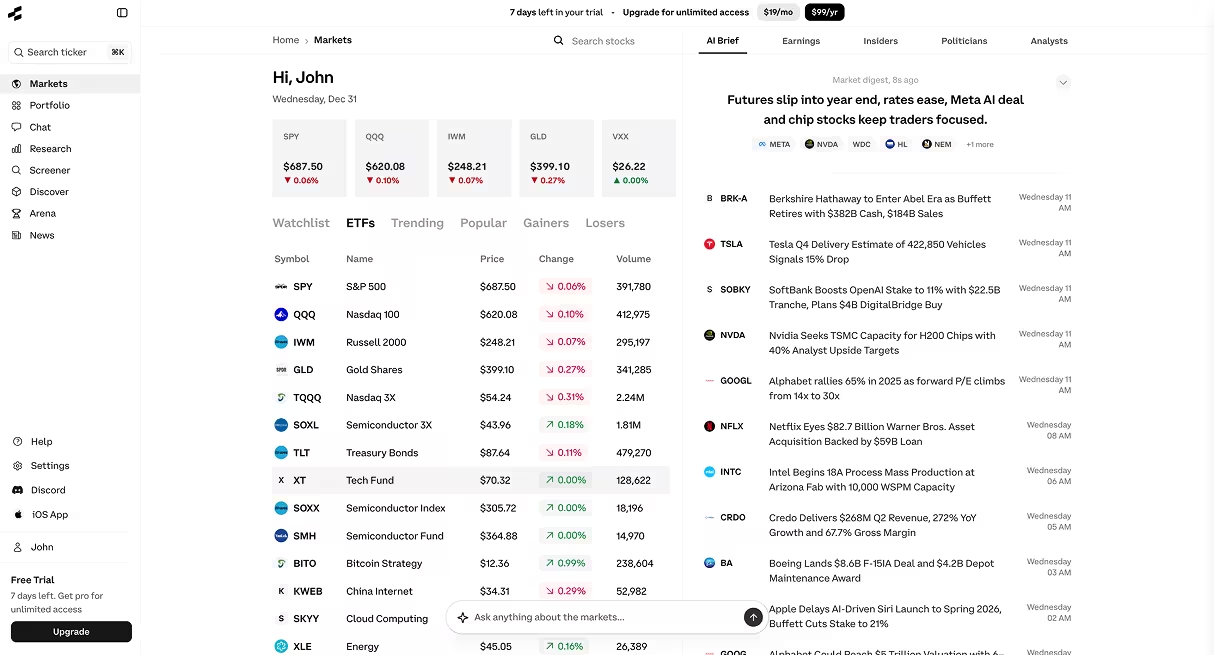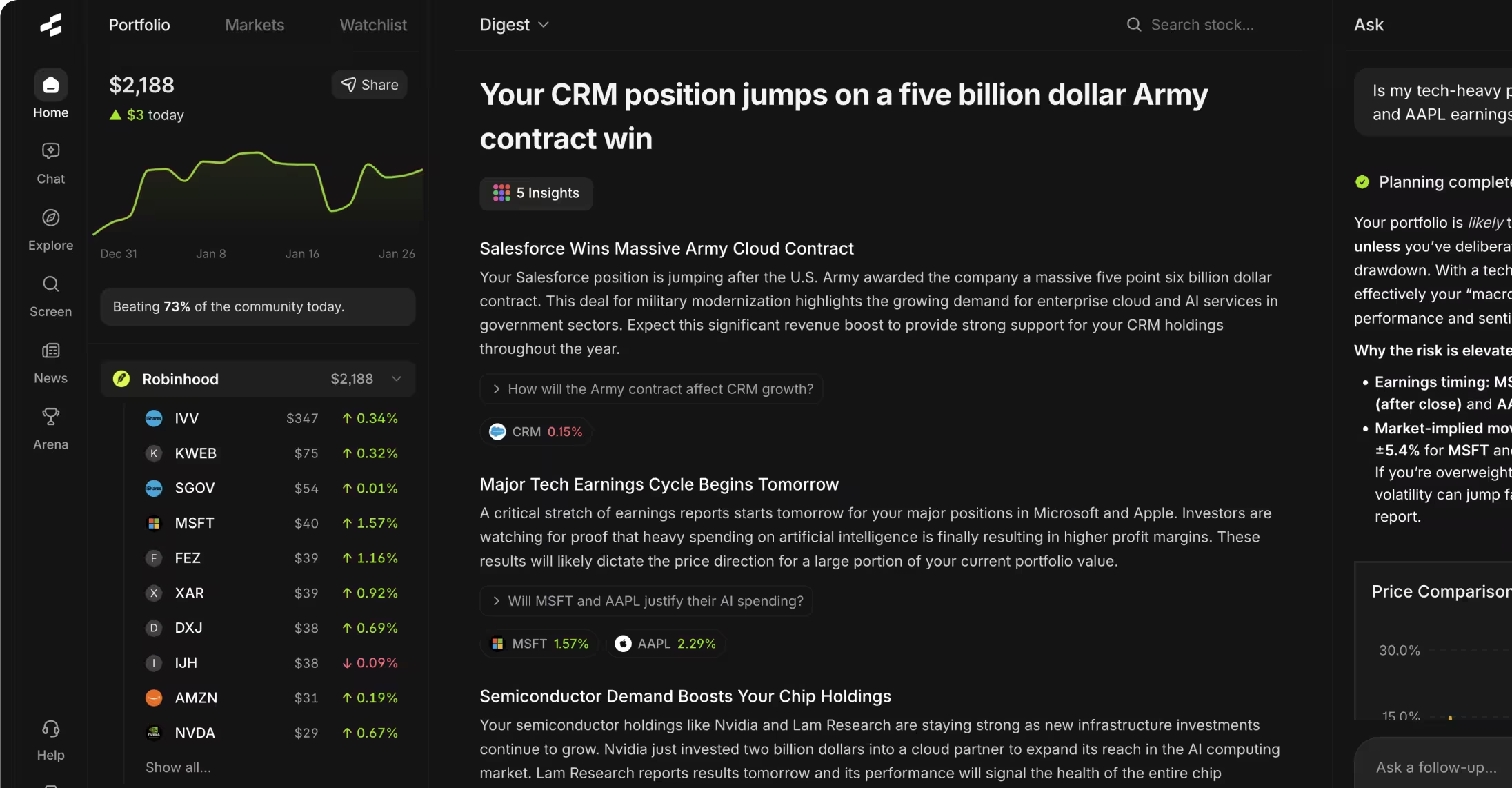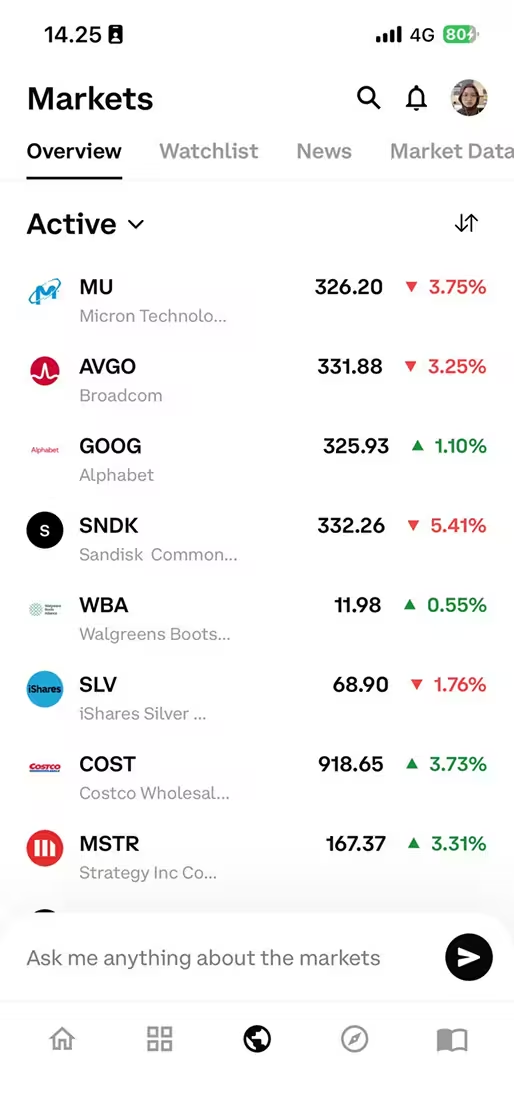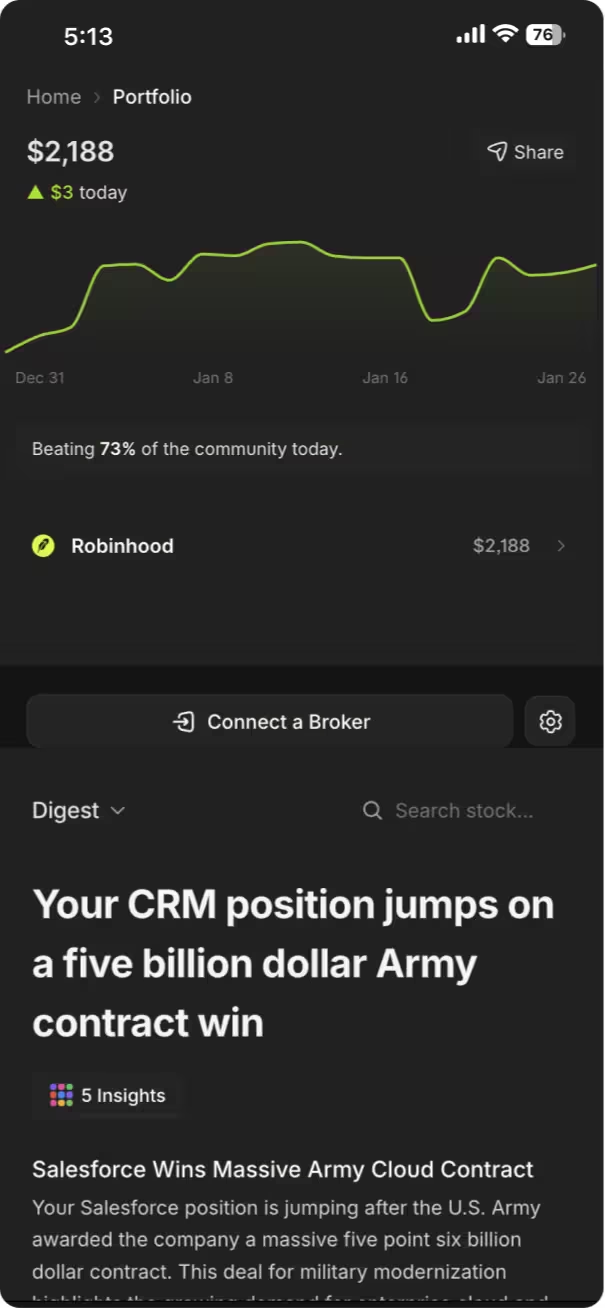



The Rallies AI assistant is a conversational research tool that answers stock market questions in plain English, pulling data from financial statements, market data, and company filings. You interact with it by typing questions like "What's Tesla's profit margin?" or "Compare Apple and Microsoft revenue growth," and it returns specific answers with supporting data rather than generic web search results.
Key Takeaways
- The Rallies AI assistant processes natural language questions and returns data-backed answers from financial databases, not web scraping
- You can ask comparative questions, request calculations, and drill into specific metrics across thousands of stocks
- The assistant works best with specific questions rather than vague prompts—asking "What's AAPL's PE ratio?" beats "Tell me about Apple"
- Follow-up questions maintain context, letting you refine queries without restating the company or metric
- The tool is designed for research and education, not personalized investment recommendations
Table of Contents
- What Is the Rallies AI Assistant?
- How the AI Assistant Works
- Getting Started with the AI Assistant
- Types of Questions You Can Ask
- How to Write Effective Prompts
- Advanced Features and Capabilities
- Common Mistakes to Avoid
- Frequently Asked Questions
- Conclusion
What Is the Rallies AI Assistant?
The Rallies AI assistant is a conversational interface that translates plain-English questions into structured financial queries and returns data from company filings, market databases, and financial statements. Unlike general chatbots that summarize web content, this tool connects directly to financial data sources to answer specific research questions with numbers, ratios, and comparisons.
The assistant handles questions about fundamentals (revenue, earnings, margins), valuations (P/E ratios, price targets), comparisons (Company A vs Company B on metric X), and calculations (growth rates, yield metrics). It's built for investors who want quick answers to research questions without manually digging through 10-Ks or building spreadsheets.
AI Research Assistant: A natural language interface that queries structured financial databases to answer stock research questions with specific data rather than summarized opinions. It bridges the gap between conversational ease and analytical precision.
The tool sits within the broader Rallies platform, which includes a stock screener, portfolio tracker, and other research features. The AI assistant specifically addresses the "I have a question about this company" use case—when you need a fast, factual answer without scanning through pages of reports.
How the AI Assistant Works
When you submit a question, the assistant parses your intent (what you're asking), identifies the entities (which companies or securities), and determines the required data points (metrics, time periods, comparisons). It then queries financial databases for the relevant information and formats a response in natural language with the specific numbers you requested.
The underlying system uses a combination of large language models for understanding your question and structured query systems for retrieving accurate financial data. This hybrid approach prevents the "hallucination" problem common in pure LLM systems—where the AI might generate plausible-sounding but incorrect numbers. Instead, every figure comes from a verified data source.
The process happens in seconds. You type "What's Microsoft's current PE ratio?" and the system identifies "Microsoft" (ticker MSFT), recognizes "PE ratio" as price-to-earnings, pulls the latest price and trailing twelve-month earnings, calculates the ratio, and returns something like "Microsoft's PE ratio is 34.2 as of [date], based on a stock price of $380 and TTM EPS of $11.11."
Context carries across follow-up questions within a conversation. If you ask "What about Google?" after the Microsoft question, the assistant understands you want Google's PE ratio without you restating the full question. This makes comparative research faster—you can hop between companies or metrics without repetitive typing.
Getting Started with the AI Assistant
Access the AI assistant through the Rallies chat interface on desktop or via the Rallies mobile app. No special setup is required—you can start asking questions immediately after creating an account.
Begin with straightforward, single-metric questions to understand how the system responds. Try "What's Tesla's revenue?" or "Show me Amazon's profit margin." These simple queries help you gauge response format, data freshness, and level of detail before moving to complex comparisons.
The interface displays your question history, making it easy to revisit previous research. If you asked about a company's debt-to-equity ratio last week, you can scroll back to that conversation rather than re-asking. This history feature is useful when building investment theses over time—you accumulate a record of your research process.
First Session Checklist
- ☐ Ask a basic financial question (revenue, earnings, PE ratio) to test response format
- ☐ Try a comparison question between two companies you know well
- ☐ Ask a follow-up question to see how context carries forward
- ☐ Request a calculation (growth rate, yield) to understand computational capabilities
- ☐ Check the sources or data dates provided in responses
Types of Questions You Can Ask
The AI assistant handles several categories of research questions, each with different data requirements and response formats. Understanding these categories helps you frame questions that get the most useful answers.
Single-Metric Queries
These ask for one specific data point about one company. Examples: "What's Apple's market cap?" or "Show me Netflix's subscriber count." The assistant returns the current or most recent figure with a date stamp. These are the simplest query type and useful for quick fact-checking.
Comparison Questions
These pit two or more companies against each other on specific metrics. Examples: "Compare AMD and Intel gross margins" or "Which has higher ROE: JPMorgan or Bank of America?" The assistant retrieves data for all companies mentioned and presents them side-by-side, often with context about which is higher or how they rank.
Time-Series Questions
These ask about changes over time. Examples: "What's Nvidia's revenue growth over the last 5 years?" or "Show me Disney's earnings trend since 2020." The response typically includes year-over-year or quarter-over-quarter figures, growth rates, and sometimes a description of the trend direction.
Calculation Requests
These ask the assistant to compute something from raw data. Examples: "Calculate Costco's free cash flow yield" or "What's the average PE ratio of the Magnificent 7 stocks?" The assistant gathers the necessary inputs and performs the calculation, showing both the result and the underlying numbers used.
Qualitative Questions
These ask about business characteristics, strategies, or events. Examples: "What does Palantir do?" or "When is Alphabet's next earnings date?" The assistant pulls from company descriptions, filings, and event calendars to provide factual answers—not opinions or forecasts.
Question Type Example Typical Response Time Data Sources Used Single-Metric "What's IBM's dividend yield?" 1-2 seconds Price data, dividend history Comparison "Compare Coke vs Pepsi margins" 2-3 seconds Financial statements for both companies Time-Series "Show me Meta's revenue growth since 2019" 2-4 seconds Historical financial statements Calculation "Calculate Tesla's price-to-sales ratio" 2-3 seconds Price data, income statement Qualitative "What industry is Salesforce in?" 1-2 seconds Company profile data
How to Write Effective Prompts
Specific questions produce better answers than vague ones. "What's Adobe's operating margin for the last quarter?" gets you an exact number, while "Tell me about Adobe's profitability" might return a general description when you wanted hard data. The assistant responds most accurately when your question clearly identifies the company, the metric, and the time frame.
Use company names or tickers interchangeably—the assistant recognizes both "Apple" and "AAPL." For less common companies, the ticker can reduce ambiguity (there are multiple companies with "United" in the name, but only one UAL).
Specify time periods when they matter. "Revenue" alone typically returns the most recent fiscal year or trailing twelve months, but "Q3 2024 revenue" or "2022 annual revenue" targets a specific period. For growth rates, state both the metric and the time span: "earnings growth from 2020 to 2024" is clearer than just "earnings growth."
Question Framing Techniques
Frame comparative questions with explicit metrics. Instead of "Compare Google and Facebook," try "Compare Google and Meta on revenue growth and profit margin." The first version is ambiguous—compare them on what?—while the second tells the assistant exactly which dimensions to pull.
For multi-part questions, break them into separate queries if they require different data types. "What's Amazon's PE ratio and when is their next earnings date and who's the CEO?" bundles three unrelated questions. You'll get faster, cleaner answers by asking them individually, and the context feature keeps the conversation flowing naturally.
Phrase calculation requests with clear inputs. "What's the PEG ratio for Nvidia?" works well because PEG ratio has a standard definition (PE ratio divided by earnings growth rate). But "What's the value of Tesla?" is ambiguous—value by what measure? Market cap? Enterprise value? Intrinsic value estimate? Be specific.
Effective Prompt Patterns
- "What's [company]'s [specific metric]?" — Direct and unambiguous
- "Compare [company A] and [company B] on [metric]" — Clear comparison dimension
- "Show me [company]'s [metric] for [time period]" — Explicit time frame
- "Calculate [company]'s [ratio/formula]" — Computational request with clear output
- "What's [company]'s [metric] compared to the [industry] average?" — Contextual benchmark
Vague Prompts to Avoid
- "Tell me about [company]" — Too broad, unclear what information you want
- "Is [company] a good investment?" — Asks for advice, which the tool doesn't provide
- "Compare these companies" — Missing which companies and on what dimensions
- "What's happening with [company]?" — Unclear if you want news, price, fundamentals
- "Should I buy [stock]?" — Direct recommendation request, outside tool scope
Advanced Features and Capabilities
The Rallies AI assistant includes capabilities beyond basic question-answering that become useful as you dig deeper into research. These features help with portfolio analysis, sector comparisons, and multi-dimensional evaluations.
Multi-Company Analysis
You can ask about multiple companies in a single query: "Compare PE ratios for Microsoft, Apple, Google, Amazon, and Meta." The assistant returns all five ratios with rankings or context about how they stack up. This is faster than querying each individually when you're evaluating a sector or building a watchlist.
Portfolio-Level Queries
If you use the Rallies portfolio tracker, you can ask questions about your holdings collectively: "What's the average dividend yield of my portfolio?" or "Which of my stocks has the highest debt-to-equity ratio?" The assistant accesses your portfolio data and runs the analysis across all positions.
Screening via Conversation
While the platform has a dedicated Vibe Screener for filtering stocks, you can also use conversational queries for quick screens: "Show me tech stocks with PE ratios under 20" or "Which S&P 500 companies have dividend yields above 4%?" The assistant returns a list matching your criteria, though the formal screener offers more filtering dimensions.
Contextual Follow-Ups
The conversation maintains context for follow-up depth. After asking "What's Toyota's operating margin?", you can follow with "How does that compare to Honda?" or "What was it last year?" without restating "Toyota" or "operating margin." This conversational flow makes drilling into topics feel natural rather than repetitive.
Deep Research Mode: An extended analysis feature that examines a stock across 100+ data points including fundamentals, technicals, valuation metrics, and qualitative factors. It's triggered by requests for comprehensive analysis rather than single-metric queries.
For full company evaluations, you can request deep research on specific stocks. This triggers a more comprehensive analysis covering financial health, valuation, growth metrics, risks, and market position. The assistant compiles data from multiple sources into a structured report rather than a brief answer.
Common Mistakes to Avoid
New users often ask questions that are too broad, hoping the AI will infer what they care about. "Tell me about Tesla" could mean financials, news, stock price, company history, or competitive position—the assistant can't guess which you want. Narrow your question to the specific information you're seeking.
Treating the assistant as an investment advisor is another common misstep. Asking "Should I buy Tesla stock?" or "Is now a good time to invest in tech?" requests personalized advice the tool doesn't provide. Rephrase to educational questions: "What factors do investors typically consider when evaluating Tesla?" or "What metrics help assess tech sector valuations?"
Expecting real-time tick-by-tick price data can lead to confusion. The assistant provides current stock prices, but there may be a 15-minute delay depending on data sources. For active trading, dedicated market data terminals offer sub-second updates. The Rallies assistant is built for research and analysis, not high-frequency trading execution.
Ignoring the date stamps on data causes issues when comparing figures from different time periods. If you ask about "earnings" without specifying, you might get trailing twelve months, while "revenue" might return the most recent fiscal year. Check the date references in responses, especially when the data freshness matters for your analysis.
Overloading a single question with multiple unrelated elements usually produces incomplete answers. "What's Amazon's revenue, how many employees do they have, who's the CFO, and what's their PE ratio?" bundles four distinct queries. The assistant may answer some but not all, or provide less detail on each. Breaking this into four questions gets complete responses for all four topics.
Frequently Asked Questions
1. What makes the Rallies AI assistant different from ChatGPT or general AI chatbots?
The Rallies AI assistant connects to structured financial databases and returns verified data from company filings, market feeds, and financial statements. General chatbots synthesize information from web content, which can result in outdated figures, hallucinated numbers, or conflated facts. When you ask about a company's revenue, the Rallies assistant pulls the actual figure from the latest 10-K or 10-Q, not a summarized article about revenue.
2. How current is the financial data provided by the AI assistant?
Fundamental data (revenue, earnings, margins) updates when companies file quarterly and annual reports with the SEC, typically within 24-48 hours of filing. Price data has approximately a 15-minute delay during market hours. News and events update in near real-time. The assistant includes date stamps in responses so you can verify data freshness for your specific query.
3. Can I use the AI assistant to screen for stocks based on specific criteria?
Yes, you can ask questions like "Which tech stocks have PE ratios under 15?" or "Show me dividend stocks yielding above 5%." The assistant returns companies matching those criteria. For more complex multi-filter screens with ranges and combinations, the dedicated Vibe Screener offers more control and customization options.
4. Does the Rallies tutorial include guidance on interpreting the AI assistant's answers?
The platform includes help documentation and guides explaining common metrics, ratios, and financial terms. When the AI assistant returns a figure like "ROIC of 18%," you can ask follow-up questions such as "Is 18% ROIC good?" or "What does ROIC measure?" to build understanding. The conversational format lets you learn as you research rather than switching to separate educational resources.
5. Can the AI assistant analyze my portfolio and suggest trades?
The assistant can analyze your portfolio by calculating aggregate metrics (average PE, total dividend income, sector allocation) and identifying characteristics like your highest-yield holding or most volatile position. However, it does not suggest specific trades or provide buy/sell recommendations. All output is educational—helping you understand your portfolio's composition, not telling you what to do with it.
6. How does the AI assistant handle questions about international stocks?
The assistant covers stocks traded on major global exchanges, including international companies listed on U.S. exchanges (ADRs) and foreign stocks on their home exchanges. Data availability and freshness vary by exchange and regulatory filing requirements. Companies trading on London, Toronto, or Frankfurt exchanges are supported, though coverage is most comprehensive for U.S.-listed securities.
7. What are the limitations of the AI Research Assistant compared to professional Bloomberg terminals?
Professional terminals like Bloomberg offer real-time data with no delay, more extensive historical archives (decades of data), proprietary analytics, and direct access to fixed income, derivatives, and commodities markets. The Rallies AI assistant focuses on equity research for individual investors, providing core fundamentals, ratios, and comparisons with a 15-minute price delay. It prioritizes accessibility and ease of use over institutional depth.
8. Can I export or save the AI assistant's responses for later reference?
Your conversation history persists within your account, so you can scroll back through previous questions and answers. For formal record-keeping or sharing, you can copy responses into notes, spreadsheets, or documents. The platform does not currently offer one-click PDF export of conversations, though that may be added in future updates based on user feedback.
Conclusion
The Rallies AI assistant translates conversational questions into precise financial queries, returning data-backed answers in seconds. By connecting natural language input to structured databases, it removes the friction between "I have a question about this stock" and "Here's the specific number you need." The tool is most effective when you ask specific, well-framed questions and understand its role as a research aid rather than an investment advisor.
For next steps, try the AI Research Assistant with a company you're currently researching. Start with basic metrics, experiment with comparisons, and use follow-up questions to drill deeper. Combined with the other Rallies platform features, the AI assistant can accelerate your research workflow while you maintain control over investment decisions.
Start researching smarter. Get Started with Rallies.ai →
References
- U.S. Securities and Exchange Commission. "Filings & Forms." https://www.sec.gov/forms
- Financial Industry Regulatory Authority. "Market Data." https://www.finra.org/finra-data
- CFA Institute. "Standards of Practice Handbook." https://www.cfainstitute.org/ethics-standards/codes
- Rallies.ai. "Platform Documentation." https://rallies.ai/
Disclaimer: This article is for educational and informational purposes only. It does not constitute investment advice, financial advice, trading advice, or any other type of advice. Rallies.ai does not recommend that any security, portfolio of securities, transaction, or investment strategy is suitable for any specific person.
Risk Warning: All investments involve risk, including the possible loss of principal. Past performance does not guarantee future results. Before making any investment decision, you should consult with a qualified financial advisor and conduct your own research.
Written by: Gav Blaxberg
CEO of WOLF Financial | Co-Founder of Rallies.ai