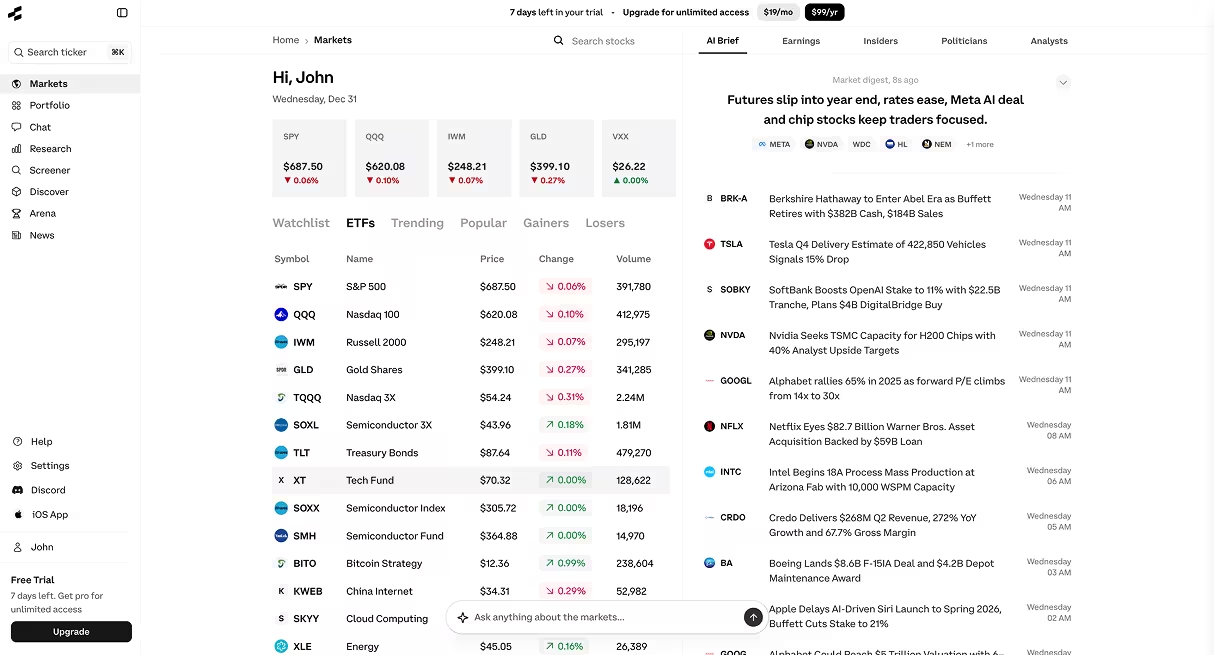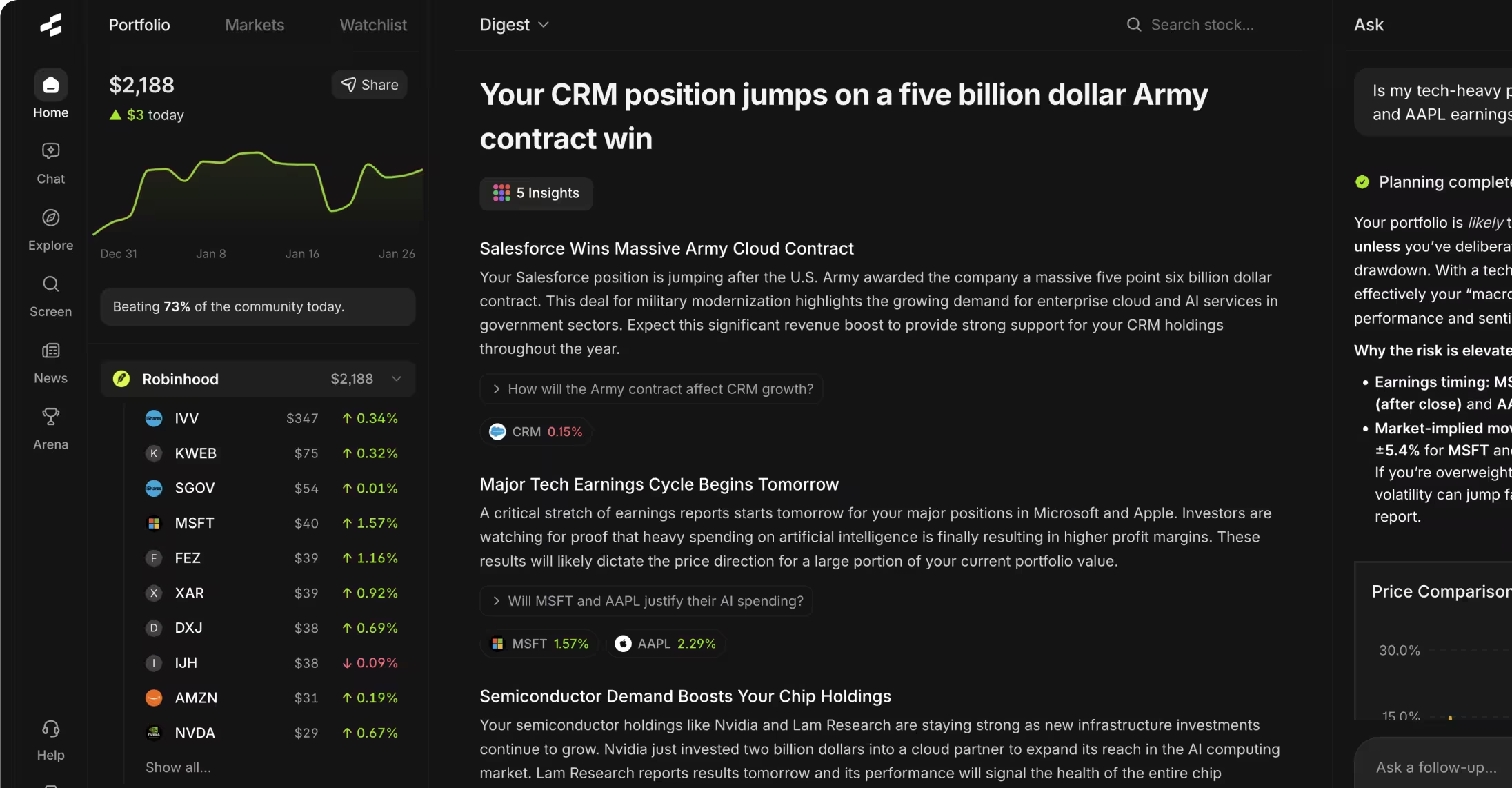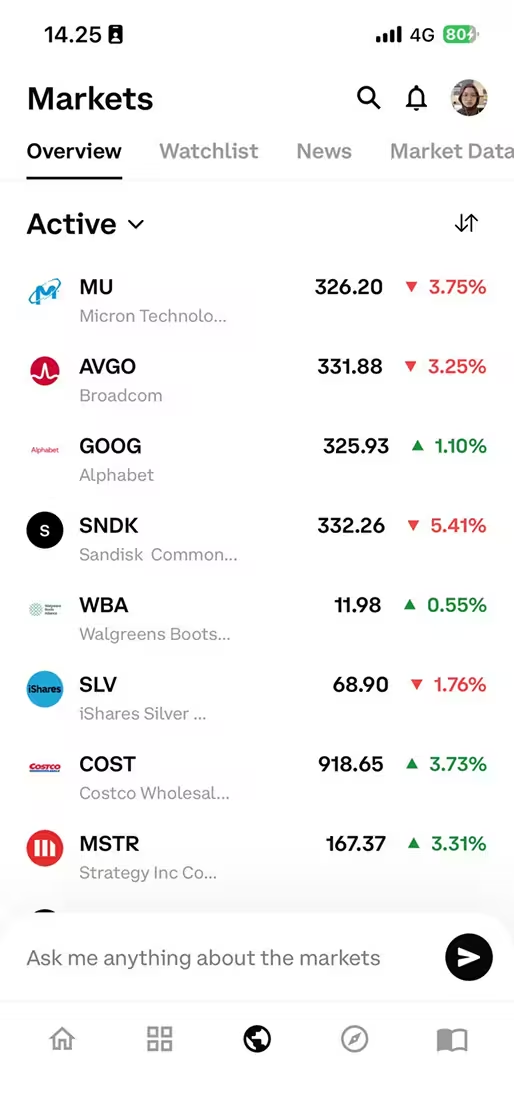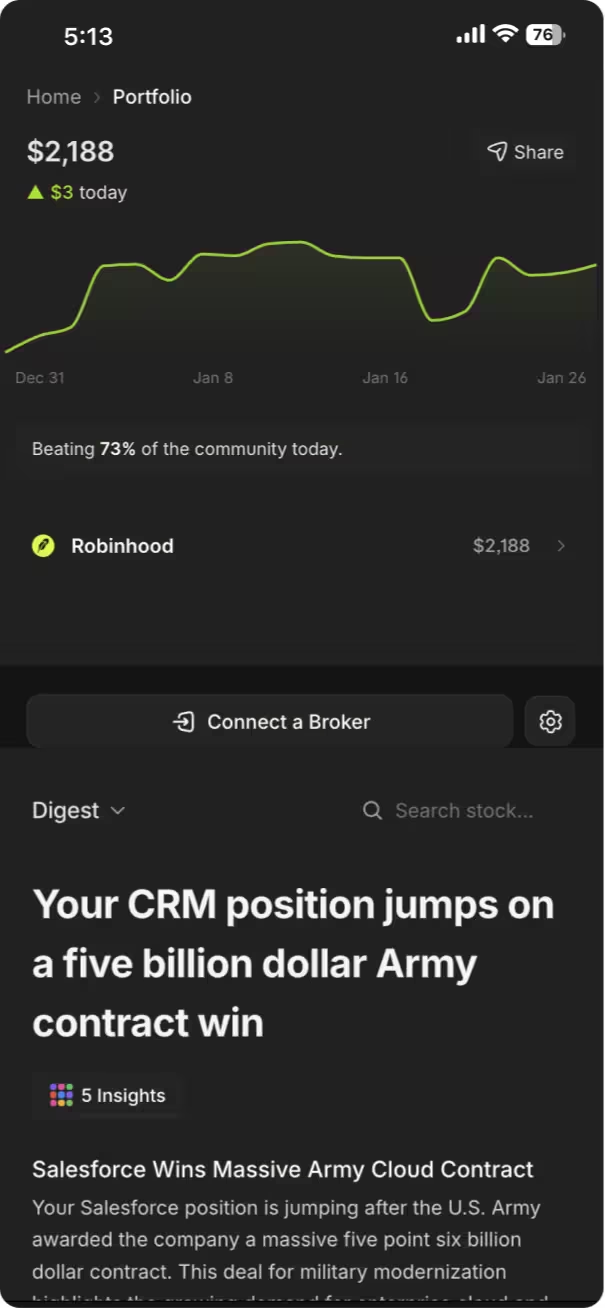



To connect your brokerage to Rallies, navigate to the Portfolio section in the app, tap "Connect Brokerage," select your broker from the list of supported institutions, and securely authenticate through Plaid's encryption protocol. The connection syncs your holdings automatically and updates in real-time, allowing Rallies' AI tools to analyze your actual portfolio positions without Rallies ever having withdrawal or trading permissions.
Key Takeaways
- Rallies supports 12,000+ financial institutions through Plaid's secure infrastructure, using bank-level 256-bit encryption
- Brokerage connections are read-only—Rallies can view holdings but cannot execute trades or withdraw funds from your account
- Real-time syncing updates your portfolio every 15 minutes during market hours, with manual refresh available anytime
- Connection setup takes 2-3 minutes and requires your brokerage login credentials, which Plaid encrypts and never shares with Rallies
- You can disconnect your brokerage at any time through account settings, which immediately revokes all data access
Table of Contents
- Why Connect Your Brokerage to Rallies?
- How Secure Is Brokerage Connection?
- Step-by-Step Connection Process
- Supported Brokerages and Institutions
- What Data Does Rallies Access?
- Common Connection Issues and Fixes
- Managing Your Connected Accounts
- Frequently Asked Questions
Why Connect Your Brokerage to Rallies?
Connecting your brokerage to Rallies enables the platform's AI tools to analyze your actual portfolio positions rather than theoretical watchlists. Once connected, the AI Research Assistant can answer questions like "What's my tech sector exposure?" or "Which of my holdings have the highest dividend yields?" using your real data.
The connection transforms Rallies from a stock research platform into a personalized portfolio analysis tool. Instead of manually entering each position, your holdings sync automatically. The portfolio tracker visualizes your allocation across sectors, market caps, and geographies. You get a comprehensive view that updates as market prices change throughout the day.
This integration helps investors spot concentration risk they might otherwise miss. If you're holding five different stocks that all depend heavily on semiconductor supply chains, for example, the portfolio analysis surfaces that correlation. The portfolio tracking features break down these relationships visually.
How Secure Is Brokerage Connection?
Rallies uses Plaid to handle brokerage connections, the same infrastructure used by Venmo, Robinhood, and most major fintech apps. Plaid employs 256-bit encryption—the same standard banks use for online banking—and holds SOC 2 Type II certification for data security practices.
Your brokerage credentials never pass through Rallies' servers. When you enter your username and password, that information goes directly to Plaid's encrypted environment. Plaid authenticates with your broker, then passes only a secure access token to Rallies. This token grants read-only access to account data.
Read-Only Access: A permission level that allows an application to view account information but not make changes, execute trades, or transfer funds. Read-only connections can see your holdings but cannot act on your behalf.
The read-only designation matters. Rallies cannot place trades, transfer money, or modify your account in any way. The connection permits viewing holdings, transaction history, and account balances—nothing more. If you want to revoke access, disconnecting through settings immediately terminates the link.
Plaid maintains connections with over 12,000 financial institutions and processes billions of transactions annually. The company operates under the oversight of financial regulators and undergoes regular third-party security audits. For technical details on their security architecture, Plaid publishes documentation at their security portal.
Step-by-Step Connection Process
The process to connect your brokerage to Rallies takes approximately 2-3 minutes. You'll need your brokerage username and password, and in some cases a two-factor authentication code if your broker requires it.
1. Access the Portfolio Section
Open the Rallies app and tap the Portfolio icon in the bottom navigation bar. If you haven't connected a brokerage yet, you'll see a prompt to "Connect Brokerage" prominently displayed. New users land on a setup screen that explains the connection benefits.
2. Initiate Connection Flow
Tap "Connect Brokerage" to launch Plaid's connection interface. You'll see Plaid's logo and security information before proceeding. This interface is managed by Plaid, not Rallies, which is why the design looks different from the rest of the app.
3. Search for Your Broker
Type your brokerage name in the search field. Major brokers like Fidelity, Charles Schwab, E*TRADE, and TD Ameritrade appear immediately. Plaid supports 12,000+ institutions, including smaller regional brokers and credit unions with brokerage services.
4. Enter Your Credentials
Select your institution and enter your brokerage username and password. This is the same login you use for your broker's website or app. If your broker requires two-factor authentication, you'll receive a code via text or email at this stage.
5. Select Accounts to Connect
If you have multiple accounts at the same broker (like an individual account and an IRA), you'll see a list to choose from. Select which accounts you want to sync with Rallies. You can connect all of them or just specific ones.
6. Confirm Permissions
Review the permissions screen, which explicitly states that Rallies will have read-only access. This screen lists what data Rallies can see (holdings, balances, transactions) and what it cannot do (trade, transfer, withdraw). Tap "Continue" to authorize.
7. Wait for Initial Sync
Plaid fetches your account data, which typically takes 15-45 seconds. You'll see a loading indicator. Once complete, your holdings appear in the Rallies portfolio view with current prices and allocation breakdowns.
For video guidance on this process, the Rallies platform guide includes screenshot tutorials for each step.
Supported Brokerages and Institutions
Rallies supports connections to over 12,000 financial institutions through Plaid's network. This includes all major U.S. brokerages, most banks with investment accounts, and many international institutions.
Category Examples Typical Sync Speed Major Brokerages Fidelity, Charles Schwab, E*TRADE, TD Ameritrade, Interactive Brokers Real-time to 15 minutes App-Based Brokers Robinhood, Webull, Public, M1 Finance Real-time to 30 minutes Bank Investment Accounts Chase You Invest, Bank of America Merrill Edge, Wells Fargo Advisors 30 minutes to 1 hour Retirement Accounts Vanguard, Fidelity 401(k), Schwab IRA 1-4 hours International Brokers Varies by institution Varies
Sync speed depends on how quickly your broker makes data available through their API. Larger institutions with modern infrastructure typically offer faster updates. Retirement accounts sometimes sync more slowly because custodians batch-process data updates.
If your broker isn't immediately visible in the search, try searching by the parent company name. For example, accounts formerly held at TD Ameritrade now sync under "Charles Schwab" following the 2023 merger. Regional credit unions may appear under their full legal name rather than shortened versions.
What Data Does Rallies Access?
When you connect your brokerage to Rallies, the platform accesses your current holdings, account balances, and recent transaction history. This data powers the portfolio analysis features and allows the AI Research Assistant to answer questions about your specific investments.
Data Rallies Can See
- Stock positions (ticker symbols and share quantities)
- Cost basis for each position
- Current market value of holdings
- Total account balance
- Transaction history (buys, sells, dividends)
- Account type (individual, IRA, 401k, etc.)
Data Rallies Cannot See
- Account login credentials (handled by Plaid only)
- Bank account or routing numbers
- Social Security number or tax ID
- Pending orders or limit orders
- Communication with your broker
The AI Research Assistant uses this data to provide personalized analysis. You can ask "What's my portfolio's average P/E ratio?" and get an answer calculated from your actual holdings. The AI assistant aggregates financial metrics across your positions without you manually entering each stock.
Transaction history helps track performance over time. The portfolio tracker calculates returns based on your buy dates and costs, showing whether you're up or down on each position. This historical data stays within Rallies' system and updates as you make new trades through your broker.
Cost Basis: The original price you paid for an investment, including commissions and fees. Cost basis determines your capital gain or loss when you sell, which matters for tax reporting.
Common Connection Issues and Fixes
Most connection attempts succeed on the first try, but certain scenarios can cause failures. Authentication errors account for roughly 70% of connection problems, typically due to incorrect credentials or expired passwords.
Authentication Failed Error
This message appears when Plaid cannot verify your login credentials with your broker. Double-check that you're using the correct username and password—the ones you use for your broker's website, not your email login or any other account. Some brokers require a separate username from your email address.
If your broker recently prompted you to change your password, you'll need the updated credentials. Password resets sometimes take 5-10 minutes to propagate through a broker's systems, so wait a few minutes before retrying if you just changed it.
Two-Factor Authentication Required
If your brokerage has two-factor authentication enabled (many require it for security), you'll need to complete that step during connection. Check your phone for a text code or open your authenticator app. Enter the code when Plaid prompts you.
Some brokers send codes via email instead of text. Check your spam folder if you don't receive the code within 60 seconds. The codes typically expire after 5-10 minutes, so request a new one if too much time passes.
Institution Not Found
If your broker doesn't appear in Plaid's search, try the full legal name of the institution. For example, "Vanguard Brokerage Services" rather than just "Vanguard." Check your broker's website footer for their official legal entity name.
Very small brokers or newly launched platforms may not yet be integrated with Plaid. Plaid continuously adds institutions, so check back periodically. You can also manually enter holdings if your broker isn't supported, though you'll lose automatic syncing.
Connection Drops After Initial Setup
Connections sometimes break if you change your brokerage password without updating it in Rallies. To fix this, go to Portfolio settings, select "Reconnect Brokerage," and enter your new credentials. The existing connection re-authenticates without losing your historical data.
Some brokers periodically require re-authentication for security, especially after 90 days. This is normal. Rallies will notify you when re-authentication is needed. The process takes less than a minute—just log in again through the same Plaid flow.
Holdings Not Updating
If your portfolio shows outdated information, first check when it last synced. The Portfolio screen displays a "Last updated" timestamp. During market hours, most brokers sync every 15 minutes. After hours, updates may be less frequent.
To force an immediate sync, pull down on the Portfolio screen (the refresh gesture). This manually triggers a new data fetch from your broker. If the problem persists after multiple refresh attempts, disconnect and reconnect your brokerage to reset the data link.
Managing Your Connected Accounts
After connecting your brokerage to Rallies, you can manage the connection through account settings. This includes viewing which accounts are linked, updating credentials, and disconnecting brokerages you no longer want synced.
Viewing Connected Accounts
Navigate to Settings > Connected Accounts to see all linked brokerages. Each entry shows the institution name, account type (individual, IRA, etc.), and last successful sync time. If you've connected multiple accounts from different brokers, they all appear in this list.
Updating Connection Credentials
If you change your brokerage password, update it in Rallies to maintain the connection. Tap the account in Connected Accounts, select "Update Login," and re-enter your credentials through Plaid's interface. This process is identical to the initial setup but faster because your account is already linked.
Disconnecting a Brokerage
To remove a brokerage connection, tap the account in Connected Accounts and select "Disconnect." Confirm the action when prompted. This immediately revokes Rallies' access to your account data. Your broker will no longer send information to Rallies.
Disconnecting doesn't delete your historical data within Rallies. Past portfolio snapshots remain visible unless you separately delete your Rallies account. If you reconnect the same brokerage later, Rallies will fetch fresh data but won't automatically merge it with old records.
Connecting Multiple Brokerages
You can connect as many brokerages as you use. Rallies aggregates holdings across all connected accounts into a unified portfolio view. This helps if you have investments split between, say, a Fidelity IRA and a Robinhood taxable account—you see your complete allocation in one place.
The AI tools analyze across all connected accounts by default. When you ask "What's my total portfolio value?" you get the sum of all linked brokerages. You can also filter to view individual accounts if you want to analyze them separately.
Frequently Asked Questions
1. Can Rallies execute trades or withdraw money from my brokerage account?
No. Rallies has read-only access to your brokerage account, which means it can view your holdings, balances, and transaction history but cannot place trades, transfer funds, or make any changes to your account. To trade, you must use your broker's own platform or app directly.
2. What happens to my data if I delete the Rallies app?
Deleting the Rallies app from your phone doesn't automatically disconnect your brokerage or delete your account data. To fully remove your data, you need to disconnect your brokerages in Settings, then delete your Rallies account before uninstalling. Otherwise, your account remains active and you can log back in from another device.
3. How often does Rallies sync with my brokerage?
Most brokerages sync every 15 minutes during market hours (9:30 AM to 4:00 PM ET). Outside market hours, sync frequency varies by institution, typically ranging from 30 minutes to 4 hours. You can manually refresh anytime by pulling down on the Portfolio screen.
4. Does connecting my brokerage cost extra?
No. Brokerage connection is included in all Rallies plans at no additional charge. Plaid doesn't charge individual users for account linking—financial apps pay Plaid for the service, not end users. Your broker also doesn't charge you for allowing read-only API access.
5. What if I have multiple accounts at the same brokerage?
When you connect a brokerage that has multiple accounts (like an individual account and an IRA), Plaid shows you a list to select which accounts to sync. You can choose all of them or just specific ones. Each account appears separately in Rallies' portfolio view with its own holdings and balance.
6. Is my data shared with third parties?
Rallies does not sell your brokerage data to third parties. The privacy policy specifies that portfolio data is used solely to provide the app's features—portfolio tracking, AI analysis, and research tools. Plaid also has strict data-sharing policies and doesn't sell user information.
7. Can I use Rallies without connecting a brokerage?
Yes. You can use all of Rallies' research features—the Vibe Screener, AI Research Assistant, stock pages, and news—without connecting a brokerage. You just won't get personalized portfolio analysis. You can manually create watchlists to track stocks you're interested in without linking actual holdings.
8. What happens if my broker isn't supported?
If Plaid doesn't support your broker yet, you can manually enter your holdings in Rallies. Tap "Add Manual Holdings" in the Portfolio section and input each stock, share quantity, and purchase price. Manual holdings don't auto-sync, so you'll need to update them yourself when you trade.
Conclusion
Connecting your brokerage to Rallies transforms the platform from a research tool into a personalized portfolio analyst. The process takes a few minutes, uses bank-level security through Plaid, and grants read-only access so Rallies can see your holdings but never make changes to your account. Once connected, your portfolio syncs automatically and the AI tools can answer questions about your specific investments.
If you encounter issues during setup, most problems stem from incorrect credentials or two-factor authentication requirements. Double-check your login information and ensure you complete any security verification your broker requires. You can manage connected accounts anytime through settings, and disconnecting is instant if you decide to remove the link.
For more guidance on using Rallies' features after connecting your brokerage, explore the complete Rallies platform guide. To start the connection process, open the Rallies app and navigate to the Portfolio section.
Start researching smarter. Get Started with Rallies.ai →
References
- Plaid Inc. "Security at Plaid." plaid.com/safety/
- U.S. Securities and Exchange Commission. "Investor Bulletin: Robo-Advisers." sec.gov
- Financial Industry Regulatory Authority. "Account Aggregation Services." finra.org
- Consumer Financial Protection Bureau. "Consumer Access to Financial Records." consumerfinance.gov
- Plaid Inc. "How Plaid Works." plaid.com/how-it-works/
Disclaimer: This article is for educational and informational purposes only. It does not constitute investment advice, financial advice, trading advice, or any other type of advice. Rallies.ai does not recommend that any security, portfolio of securities, transaction, or investment strategy is suitable for any specific person.
Risk Warning: All investments involve risk, including the possible loss of principal. Past performance does not guarantee future results. Before making any investment decision, you should consult with a qualified financial advisor and conduct your own research.
Written by: Gav Blaxberg
CEO of WOLF Financial | Co-Founder of Rallies.ai